MOWSIL Peripherals – Practical Device Accessories for Everyday Use in Saudi Arabia
MOWSIL peripherals are designed to improve how your devices function by adding the right tools for connectivity, control, and workspace efficiency. From input devices to connectivity solutions, each product is built to support daily tasks without unnecessary complexity.
If you're planning to explore peripherals in Saudi Arabia, MOWSIL offers a focused range that includes USB hubs, adapters, extension cables, keyboards, mice, and laptop stands, all designed to work smoothly across different setups. Whether you're upgrading a desk setup or building a more structured workspace, these peripherals help simplify how your devices connect and operate.
Designed Around Real Usage, Not Just Specifications
Most users don’t need complicated setups, they need accessories that work consistently. MOWSIL peripherals are built with this in mind. Instead of focusing only on features, the design approach prioritizes ease of use, stable connections, and long-term usability.
For example, products like USB hubs and adapters are built to handle multiple devices without affecting speed, while accessories like adjustable laptop stands are designed to improve posture and desk organization. Every product serves a clear purpose in improving your setup.
What Makes MOWSIL Peripherals Stand Out
MOWSIL focuses on practical performance and build quality rather than exaggerated claims.
- Strong connector quality ensures consistent connections without loosening over time
- Efficient internal design supports stable data transfer across devices
- Clean, minimal designs fit easily into both home and office environments
- Balanced pricing makes it easier to upgrade setups without overspending
These are the factors that matter in everyday use, especially when peripherals are used continuously throughout the day.
Key Features of MOWSIL Peripherals
✔ Supports fast and stable data transfer across connected devices
✔ Works with multiple device types including laptops, desktops, and tablets
✔ Plug-and-use functionality with no setup required
✔ Designed for regular use in both personal and professional setups
✔ Compact and functional designs that fit modern workspaces
Product Range Within MOWSIL Peripherals
MOWSIL peripherals are designed to cover different aspects of your setup, from connectivity to comfort.
Keyboards and Mice
Built for consistent input and everyday use, these devices are suited for office tasks, content work, and general computing.
Use case: workstations, home offices, productivity setups
USB Hubs and Adapters
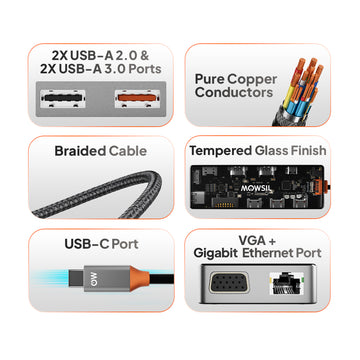
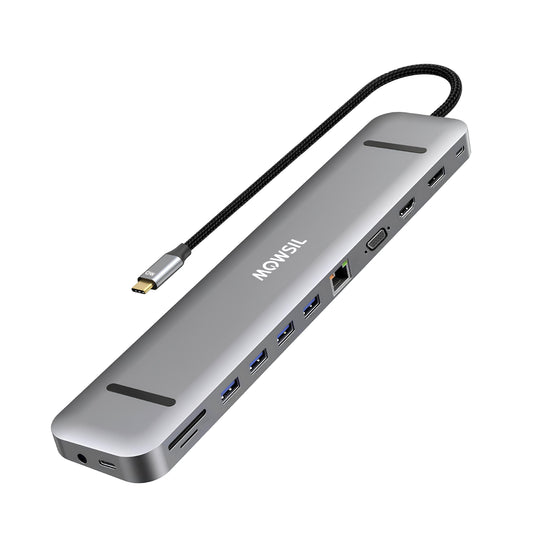
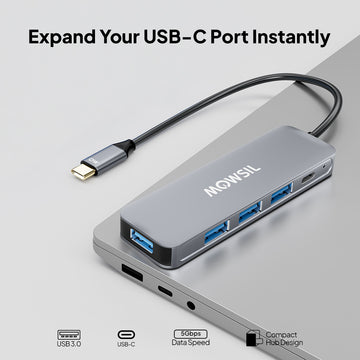
These expand limited ports into multiple connections, allowing you to connect storage devices, displays, and accessories through a single interface.
Use case: laptops with fewer ports, multi-device setups
USB to SATA Adapters and Storage Tools
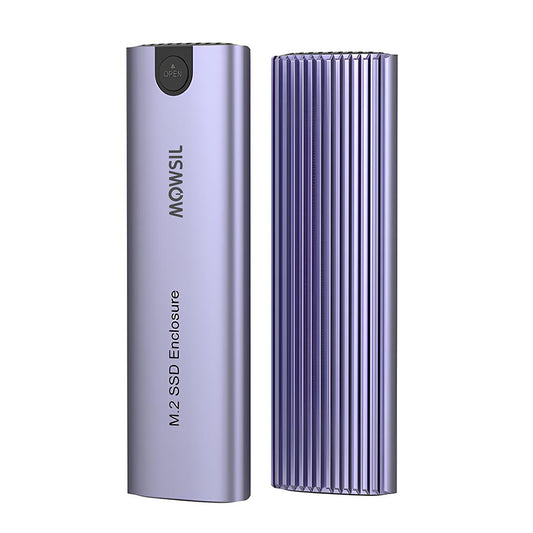
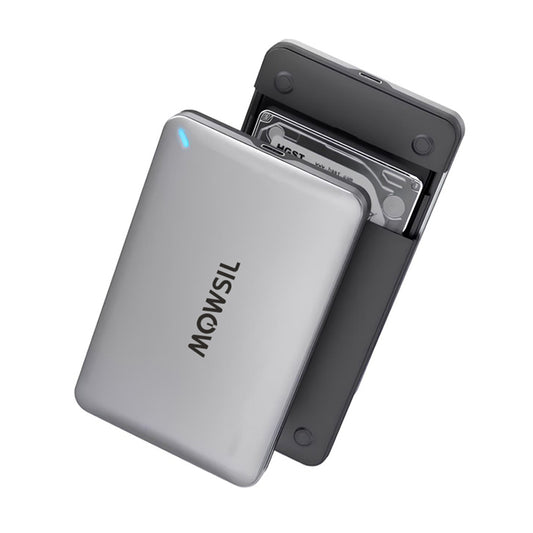
Products like USB to SATA adapters and storage enclosures help access and transfer data from drives easily, making them useful for backups and data management.
Use case: data transfer, storage access, system upgrades
Extension Cables
Designed to extend reach without affecting performance, these cables help organise your workspace and improve accessibility.
Use case: desk setups, device repositioning
Adjustable Laptop Stands
MOWSIL laptop stands are designed to improve posture and workspace alignment. Adjustable height levels help reduce strain during long working hours.
Use case: ergonomic setups, remote work environments
Choosing the Right Peripherals for Your Setup
Selecting peripherals depends on how you use your devices daily. Instead of choosing based on features alone, it’s better to focus on actual usage needs.
Type of Setup
A workstation may require hubs, stands, and input devices, while a simple home setup may only need basic accessories.
Port Availability
Devices with limited ports benefit from USB hubs or adapters that expand connectivity options.
Workspace Layout
Cable length, device placement, and accessibility all influence which peripherals are more suitable.
Comfort and Usage Time
If you spend long hours working, ergonomic accessories like laptop stands and input devices become important.
Suitable for Different Environments
MOWSIL peripherals are designed to work across different environments without requiring adjustments.
Office Workstations
Accessories like USB hubs, keyboards, and stands help create a more organised and functional desk setup, supporting daily productivity.
Home and Remote Work
For remote work setups, peripherals help improve efficiency by simplifying device connections and maintaining a clean workspace.
Educational Spaces
In classrooms or training environments, peripherals like input devices and adapters support easy interaction and device compatibility.
Creative and Technical Workspaces
For designers and content creators, reliable connectivity and workspace organisation are important. MOWSIL peripherals support both without adding complexity.
Why MOWSIL Peripherals Make Sense
Choosing peripherals is not just about adding accessories—it’s about improving how your setup works.
- Consistent Performance: Designed for stable operation during regular use
- Functional Design: Built with usability in mind rather than unnecessary features
- Cost Efficiency: Offers practical value without inflated pricing
- Availability: Easy to order peripherals online in Saudi Arabia with convenient delivery options
These factors make MOWSIL a practical choice for users who want dependable accessories without overcomplication
Explore MOWSIL Peripherals in Saudi Arabia
If you're planning to order peripherals online in Saudi Arabia, MOWSIL offers a range designed for real-world usage—covering connectivity, comfort, and workspace efficiency.
From USB hubs and adapters to ergonomic stands and input devices, MOWSIL peripherals help create a setup that works better without unnecessary complications.
Frequently Asked Questions
1. What are peripherals and why do I need them?
Peripherals are accessories that extend the functionality of your primary device, such as keyboards, mice, cables, and adapters, providing improved control and connectivity.
2. Are MOWSIL peripherals compatible with all laptops and desktops?
Yes, MOWSIL peripherals are designed to work with systems that have standard interfaces, including USB‑A and USB‑C ports, without requiring special drivers.
3. Can I use a MOWSIL USB extension cable for a printer?
Yes, USB extension cables can help extend connectivity for devices like printers, as long as the extended connection meets the cable length and device specifications.
4. Will a MOWSIL adapter work with older audio ports?
MOWSIL adapters are designed to bridge connections between modern and legacy ports, but compatibility may depend on the specific audio formats supported by your system.
5. Do MOWSIL keyboards and mice require battery or software installation?
Most wired MOWSIL keyboards and mice are plug‑and‑play and do not require software installation. Wireless models may require battery power and initial pairing.
6. Can I use these peripherals in a professional office setup?
Absolutely. MOWSIL peripherals are suitable for office workstations, conference environments, and collaborative spaces where flexible connectivity and control are needed.
7. What cable length should I choose for my setup?
Choose cable length based on your workspace layout. Short cables are suitable for desktops, while longer ones are better for setups where devices are placed farther apart.
8. Are extension cables safe for high‑speed devices?
Yes, MOWSIL extension cables are designed to maintain signal integrity, ensuring proper function for high‑speed devices and data transfer, as long as length and specifications are adhered to.
9. Can these accessories support multiple devices at once?
Yes, many peripherals like keyboards and mice can connect to multiple systems (depending on connectivity type), and adapters allow devices with different interfaces to work together.
10. Do I need drivers to use MOWSIL peripherals?
Most MOWSIL peripherals are plug‑and‑play and do not require additional drivers. If drivers are needed, they are typically easy to install and clearly documented.
11. Can I use these peripherals with tablets and mobile devices?
Some peripherals, especially USB‑C compatible accessories, can work with tablets and mobile devices that support OTG (On‑The‑Go) connectivity.
12. Are MOWSIL peripherals covered by warranty or support?
MOWSIL products typically include manufacturer support and documentation. Check product details for specific warranty information and customer support guidelines.