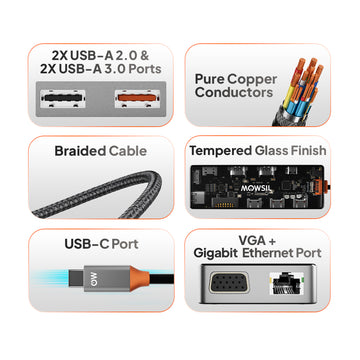
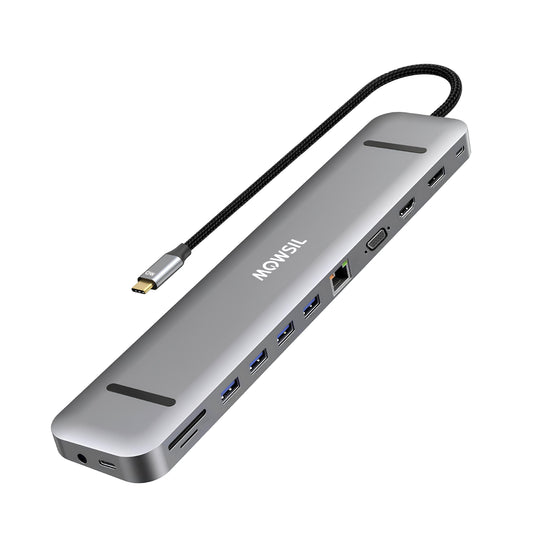
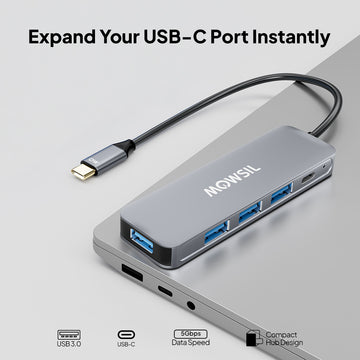
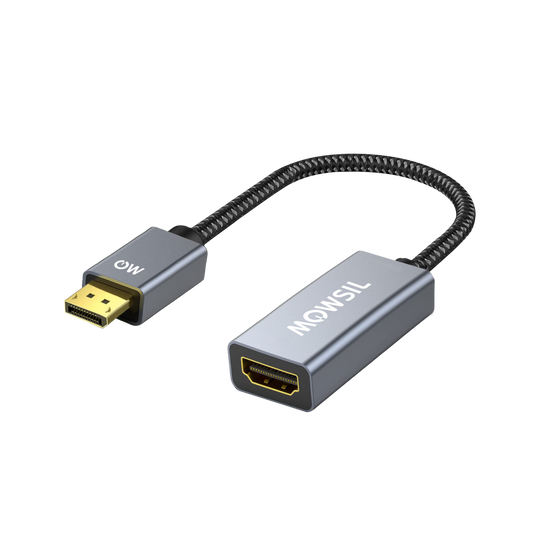
MOWSIL A/V Converters – Making Different Devices Work Together in Saudi Arabia
MOWSIL A/V converters are designed for one simple purpose — helping devices with different connection types work together without creating problems. Whether you’re trying to connect a newer laptop to an older projector or link an older system to a modern screen, these converters make that connection possible without forcing you to change your entire setup.
If you’re planning to buy A/V converters online in Saudi Arabia, it’s important to choose something that actually works in real situations. Many converters claim compatibility, but once you start using them, issues like unstable display, missing audio, or poor output quality show up. That’s where MOWSIL takes a more practical approach by focusing on how these products perform in everyday use.
Built for Situations Where Things Don’t Match
In real environments, devices rarely match perfectly. A laptop might have HDMI, while the projector only supports VGA. Or you may have an older media device that needs to connect to a modern display.
MOWSIL A/V converters are built to handle these mismatches without turning the setup into a technical headache. They convert signals properly so both devices understand each other, instead of just acting as a basic connector.
This becomes especially useful in places where replacing equipment is not practical or necessary.
What Makes MOWSIL A/V Converters Different
A converter is not something you think about until it stops working. That’s why the small details matter here.
- Internal components are designed to handle signal conversion without distortion
- Connectors fit securely and don’t loosen easily over time
- Output remains consistent even during longer usage
- Setup stays simple without extra steps or configurations
These are the things that prevent issues like flickering screens, delayed output, or audio not syncing properly.
Key Features That Actually Matter
✔ Converts signals between HDMI, VGA, and AV formats without confusion
✔ Works straight out of the box with no software or setup required
✔ Maintains audio and video sync during conversion
✔ Supports clear output for presentations, media use, and daily tasks
✔ Compact design that fits easily into different setups
Types of A/V Converters and Where They Fit
Different situations need different types of converters. Choosing the right one depends on what you’re connecting.
HDMI to VGA Converters
Used when a newer device needs to connect to an older display or projector.
Common in meeting rooms and training setups.
VGA to HDMI Converters
Useful when older systems need to connect to modern screens.
Helps extend the life of existing equipment without replacing it.
HDMI to AV or Composite Converters
Used for connecting modern devices to older TVs or AV systems.
Often seen in home setups where legacy devices are still in use.
Audio Extraction Converters
These allow you to separate audio from video when needed.
Helpful in setups where sound systems use different inputs.
Where These Converters Are Used Most
These products are not limited to one type of user. They are used wherever different devices need to connect without complications.
Offices and Workspaces
Meetings often involve different laptops and devices. A converter ensures everything connects without wasting time figuring out compatibility.
Educational Environments
Classrooms often use a mix of old and new equipment. Converters help keep everything functional without needing upgrades.
Home Setups
For people using older media devices or displays, converters make it possible to continue using them with newer systems.
Events and Temporary Setups
When equipment comes from different sources, compatibility becomes unpredictable. Converters help avoid last-minute issues.
Choosing the Right Converter Without Confusion
Before buying, it helps to understand a few simple points.
Check your input and output
Know what your device sends out and what your display accepts. This determines the converter type you need.
Think about resolution
If you’re using higher resolution content, make sure the converter supports it properly.
Consider audio needs
Some setups require separate audio output, so choosing the right converter matters.
Look at how often you’ll use it
If it’s for daily use, build quality becomes more important than anything else.
Why MOWSIL A/V Converters Make Practical Sense
When it comes to converters, performance over time matters more than anything else.
- Consistent output without random signal issues
- Simple usage without technical setup
- Solid construction that handles regular use
- Easy to buy A/V converters online in Saudi Arabia with convenient delivery options
These are not products you want to troubleshoot every day. They should just work — and that’s the focus here.
Explore MOWSIL A/V Converters in Saudi Arabia
If you’re planning to buy A/V converters online in Saudi Arabia, MOWSIL offers options that focus on real usage rather than just specifications.
Whether you’re working in an office, setting up a classroom, managing an event, or upgrading a home system, these converters help your devices connect without unnecessary effort or confusion.
Frequently Asked Questions
1. What is an A/V converter used for?
An A/V converter translates signals from one format to another, enabling devices with different connection standards to work together. For example, connecting a VGA output to an HDMI display.
2. Can MOWSIL A/V converters handle high‑quality video?
Yes, MOWSIL converters are designed to preserve video clarity during format translation, making them suitable for presentations, media playback, and extended displays.
3. Do converters require special software?
Most MOWSIL A/V converters are plug‑and‑play, requiring no additional drivers or software.
4. Can I convert HDMI to VGA audio and video?
Yes. Select MOWSIL converters are built to convert HDMI signals into VGA while maintaining synchronized audio and video.
5. Are A/V converters suitable for offices?
Absolutely. AV Converters for Offices help connect various employee devices to conference screens and projectors without compatibility issues.
6. Can I use these converters with older TVs?
Yes, converters such as HDMI to composite allow older TVs to display video from modern digital sources.
7. Do converters work with gaming consoles?
Yes, MOWSIL converters can be used to connect consoles to compatible displays as long as the formats are supported.
8. How do I choose the right converter?
Select based on your source port and display port, ensuring the converter supports the correct input and output format.
9. Do MOWSIL converters support audio extraction?
Some models include audio extraction, allowing audio to be routed to speakers or sound systems separate from the video signal.
10. Are converters compatible with laptops and desktops?
Yes, MOWSIL A/V converters are compatible with a wide variety of laptops, desktops, and media players.
11. What cable types do I need with the converter?
Often standard HDMI, VGA, or composite cables are used along with the converter, depending on your setup.
12. Can I use these converters for long cable runs?
A/V converters translate formats; if you need long cable extension, consider pairing with extenders or active cables appropriate for your distance.