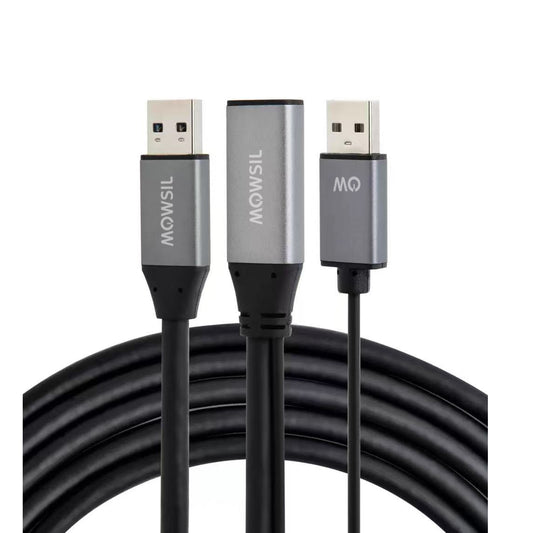
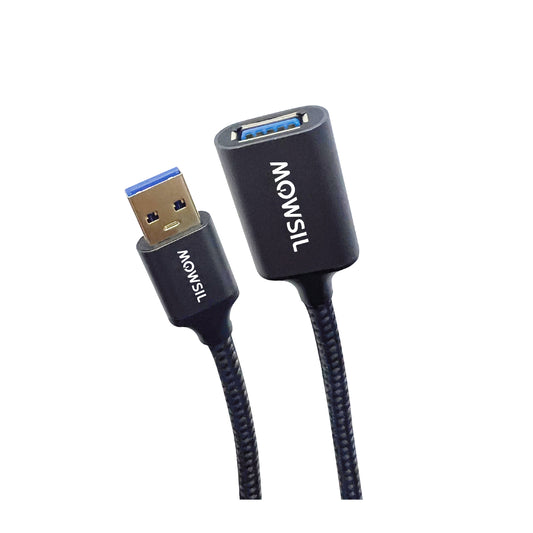
MOWSIL USB Cables – Simple, Everyday Connections That Just Work in Saudi Arabia
MOWSIL USB cables are built for the kind of everyday use most people don’t think about until something goes wrong. Charging a phone, connecting a printer, transferring files, plugging in a keyboard these are small actions, but they need to work smoothly every time.
If you are planning to order USB cables online in Saudi Arabia, it helps to choose something that holds up with regular use. A cable might look fine on day one, but over time issues start showing up loose connectors, slower charging, or unstable connections. That’s usually where quality makes the difference.
MOWSIL keeps things straightforward. These cables are made to handle daily use without adding complications or forcing you to keep replacing them.
Designed for Daily Use, Not Just Occasional Use
USB cables are probably the most used accessory in any setup. They get plugged in, pulled out, bent, moved around and used across multiple devices.
MOWSIL USB cables are designed with that kind of usage in mind. Instead of focusing only on specifications, the focus is on how they perform after weeks or months of use. The idea is simple: the connection should stay stable, and the cable should keep doing its job without needing attention.
What Actually Makes a Difference in These Cables
A lot of USB cables look the same, but the difference shows up when you start using them regularly.
- Connectors fit properly and don’t loosen easily
- Internal wiring supports steady power and data flow
- Outer covering handles bending and daily handling
- Performance stays consistent across different devices
These are the things that prevent common problems like charging interruptions or failed connections during file transfers.
Key Features That Matter in Real Life
✔ Supports both charging and data transfer without switching cables
✔ Works with common devices like laptops, phones, printers, and drives
✔ No setup needed just plug in and start using
✔ Designed for repeated use without early wear
✔ Available in different lengths for flexible setups
Types of USB Cables and When to Use Them
Different devices still use different USB formats, so choosing the right one depends on your setup.
USB-A to USB-C Cables
Used for connecting newer devices to older USB ports.
Works well for charging phones or connecting accessories to laptops and chargers.
USB-A to Micro USB Cables
Still useful for older devices like accessories, cameras, and some gadgets.
Helpful if you are working with legacy equipment.
USB-C to USB-C Cables
Used for newer laptops, tablets, and phones that support USB-C on both ends.
Best choice when you want faster charging and quicker data transfer.
USB Extension Cables
These give you extra reach when your device is too far from the port.
Useful for desk setups where flexibility matters.
Choosing the Right Cable Without Overthinking
Picking a USB cable is easier when you focus on how you’ll use it.
Check your device ports
Make sure the cable matches both ends of your connection.
Think about your main use
If you mainly charge devices, go for cables that support stable power delivery.
If you transfer files often, data speed becomes more important.
Pick the right length
Short cables keep things tidy on a desk. Longer ones are useful when devices are placed further apart.
Getting this right avoids frustration later.
Where These USB Cables Are Used Most
These cables are used everywhere, but the way they are used changes depending on the setup.
Workstations and Office Use
Connecting printers, storage drives, and input devices requires stable connections. A good cable keeps everything running without interruptions.
Home Setups
From charging phones to connecting accessories, USB cables are part of daily routines. They need to be reliable without needing constant replacement.
Professional Environments
In setups where multiple devices are connected, consistency matters more than anything else.
On-the-Go Use
For people moving between locations, having a cable that works across devices saves time and effort.
Why MOWSIL USB Cables Make Practical Sense
When it comes to cables, people don’t want features they’ll never use they just want something that works every time.
- Stable performance across different devices
- Build quality that holds up with regular handling
- No unnecessary complexity just simple, working connections
- Easy to order USB cables online in Saudi Arabia with convenient delivery
This is what makes MOWSIL a practical choice rather than just another option.
Explore MOWSIL USB Cables in Saudi Arabia
If you are planning to order USB cables online in Saudi Arabia, MOWSIL offers options that focus on what actually matters everyday usability, stable connections, and durability over time.
Whether you are setting up a workspace or just replacing a cable that stopped working, these are built to keep your devices connected without unnecessary issues.
Frequently Asked Questions
1. What are USB cables used for?
USB cables are used for charging devices, transferring data, and connecting peripherals such as keyboards, printers, and storage drives.
2. Are all USB cables the same?
No, USB cables differ based on connector type, speed, and power delivery capabilities.
3. Can USB cables transfer data and charge at the same time?
Yes, most USB cables support both functions, depending on their specifications.
4. What is the difference between USB-A and USB-C?
USB-A is a traditional connector, while USB-C is a newer, reversible connector that supports faster speeds and power delivery.
5. How do I choose the right USB cable?
Choose based on your device ports, required speed, and intended use such as charging or data transfer.
6. Are USB-C cables faster than older USB cables?
Yes, USB-C cables generally support higher data transfer speeds and faster charging compared to older types.
7. Can USB cables be used for printers?
Yes, specific USB cables are commonly used to connect printers to computers.
8. What cable length should I choose?
Select based on your setup distance—short cables for desks and longer ones for extended reach.
9. Are USB cables suitable for office setups?
Yes, they are widely used in offices to connect and power multiple devices.
10. Do USB cables require installation?
No, USB cables are plug-and-play and work immediately when connected.
11. Can USB cables connect external storage devices?
Yes, they are commonly used to connect hard drives and USB flash drives.
12. Do USB cables affect charging speed?
Yes, cable quality and specifications can impact charging efficiency and speed.