



You have probably been in this situation: you are setting up a nice conference room putting the final touches on a huge digital display or hanging a super sharp 4K projector from the ceiling of a corporate boardroom. The display looks perfect the media player is great and the plan is just right.. The moment you plug everything in using that long 15-meter cable that runs through the wall the screen just stays black. Or sometimes it starts to flicker the sound stops working. It shows weird lines that look like they are dancing.
In the world of visual installations this is what people call the "long-run curse".
When you are working with 1080p video you can use copper HDMI cables that can go all the way across a room without any problems.. When you are working with corporate offices, commercial spaces and really nice presentation areas that use 4K at 60Hz. Or even 8K at 60Hz or 4K at 120Hz with the new HDMI 2.1. The regular copper cables just do not work.
If you have ever wondered why your sharp display stops working after just a few meters it is not because of the display or the media source. It is because of the way high-bandwidth data transmission works over copper cables. This is something that you cannot see. The high-bandwidth data transmission over copper cables is the reason why this happens and it is related to the high-bandwidth data transmission over copper cables. The audio visual installations rely on the high-bandwidth data transmission over copper cables. When this does not work the whole system fails and this is all because of the high-bandwidth data transmission, over copper cables.
The Anatomy of 4K Data: Why It’s Drastically Different
To understand why a long HDMI cable fails, we first have to look at the staggering amount of data passing through it.
Standard High Definition (1080p) requires a bandwidth of about 4.45 Gbps. Copper cables can handle that load over relatively long distances without sweating. However, when you step up to 4K resolution at a smooth 60Hz refresh rate (the standard for any modern HDMI cable for meeting room setups), that requirement leaps to 18 Gbps under the HDMI 2.0 standard. If you are future-proofing a space with an HDMI 2.1 cable to support ultra-smooth frame rates, dynamic HDR, or 8K content, that data load explodes to a massive 48 Gbps.
Think of an HDMI cable as a multi-lane highway. Shifting from 1080p to Ultra HD 4K is like trying to cram a massive fleet of heavy-duty freight trucks down that same highway all at once. If the highway is only a couple of meters long, the traffic moves fine. But force that traffic to travel 10, 15, or 20 meters over traditional copper wires, and the system completely breaks down.
The Invisible Enemies: Resistance, Crosstalk, and Attenuation
When an electrical signal travels down a copper wire it has to deal with three problems that mess up the data before it can reach the receiver. This mess up is called 4K HDMI signal loss in the industry.
1. Signal Attenuation or Voltage Drop
Copper is not perfect. It resists electricity. When a frequency digital signal travels down a copper wire it keeps losing energy. The longer the wire is, the energy it loses. By the time a big 18 Gbps or 48 Gbps data packet travels 10 meters the electrical voltage has dropped much that the receiving display can no longer tell the difference between the ones and zeros of the digital code. This is why you get a screen that says "No Signal".
2. Interference or EMI and Crosstalk
An HDMI cable is really a bunch of tiny insulated copper wires packed tightly together. When a lot of high-frequency data goes through these wires they create electromagnetic fields that interfere with each other. This is called crosstalk.
In offices and places with signs these cables often go through walls, ceilings and floors with big electrical wires, Wi-Fi routers and fluorescent lights. This outside interference completely messes up the digital audio and video packets causing the screen to flicker, sparkle and the audio to drop out sometimes.
3. High-Frequency Skew
Digital video signals are split into channels called TMDS lanes, inside the cable. Because copper wires are not made perfectly some wires might be a bit longer or tighter than others. Over a distance the data traveling down one wire gets to the end a tiny bit later than the data on the other wire. This timing problem, called skew makes it hard, for a 4K display to sync the image properly causing lag or a picture that does not work right.
The Traditional Band-Aids
For years Audio Visual installers and Information Technology departments have been trying to find a solution to this problem. Every fix they try has some big downsides:
-
* Thicker Copper Cables, like the ones with 24 AWG or heavier wire were made to fight resistance. These cables are a little better for extending the range. They are really thick and heavy. This makes them hard to work with especially when you have to fish them through spots in the walls or ceilings of a modern office. It is a pain.. It is also tough on the HDMI ports of expensive displays, which is a big deal.
-
* Inline HDMI Signal Boosters are devices that go in the middle of a cable to make the signal stronger.. They need their own power source and they can be a weak point in the system that you cannot see because they are hidden inside walls or ceilings.. A lot of the time they make the background noise and interference worse right along with the signal. So they do not really fix the problem.
-
* HDBaseT Extenders are good, for sending HDMI signals over distances using Cat6 network cables and special boxes.. They cost a lot of money need power at both ends take up a lot of space behind a wall-mounted display and make it harder to figure out what is going wrong because there are so many parts involved. Audio Visual installers and Information Technology departments have to deal with all these issues when they use HDBaseT Extenders.
Active Optical Cable (AOC) Technology
If copper hits a physical wall at 5 meters for true 4K content, what is the definitive answer for modern corporate and commercial spaces? The answer lies in replacing electricity with light.
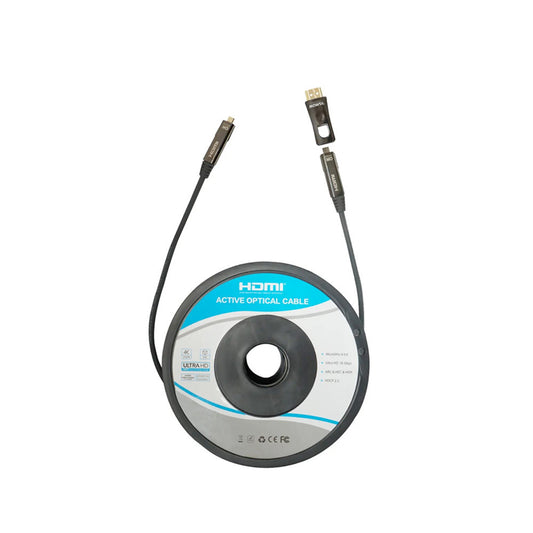
An AOC HDMI cable (Active Optical Cable) represents a massive generational leap in AV infrastructure. It bridges the gap by combining the universal plug-and-play simplicity of a standard HDMI connector with the astronomical speed and distance capabilities of fiber-optic technology.
Inside the connector heads of an AOC cable sits an intelligent, microscopic chipset. This chipset takes the electrical digital signal from your laptop, media player, or matrix switcher and instantly converts it into light pulses. This light is then beamed down ultra-thin strands of glass fiber core inside the cable jacket at the speed of light. At the receiving end a matching chipset changes those pulses back into a clear electrical signal for your display.
Because light is not affected by resistance or magnetic fields AOC technology completely gets rid of the problems of long-distance AV setups:
* Zero Signal Loss over Distance: Whether your cable run is 10 meters, 30 meters or even 50 meters an AOC cable gives the same clear uncompressed 18 Gbps or 48 Gbps bandwidth. Your 4K signal loss is zero.
AOC cables keep the signal strong.
* Total Protection from Interference: Light waves moving through glass fiber cores are completely safe from interference (EMI) and radio frequency interference (RFI). You can safely run an AOC cable next to high-voltage power lines in a ceiling grid without worrying about screen flickering or signal drops.
This makes AOC cables very reliable.
* Ultra- Very Flexible Design: Because fiber optic strands are much thinner and lighter than heavy copper bundles an AOC HDMI cable is very sleek and flexible. This makes it perfect for projector installations and tight spaces, behind digital signage boards.
The thin design is very helpful.
* No External Power Needed: Unlike extender kits AOC cables get the small amount of electricity they need to power their internal conversion chips directly from the source HDMI port. It looks, feels and works like a traditional cable, you just plug it in.
Conclusion - Designing for Reliability
When you are setting up modern presentation spaces, conference hubs or commercial displays Mowsil says you should not try to save money on the cabling layer. This is because it will cost you money in the long run. If your internet connection drops during a meeting or your screen goes black during a corporate presentation it can stop people from being productive and hurt your professional reputation.
So people are moving away, from using copper for their internet and switching to Optical technology. This is not a good idea it is something you have to do if you want to have high quality digital pictures.
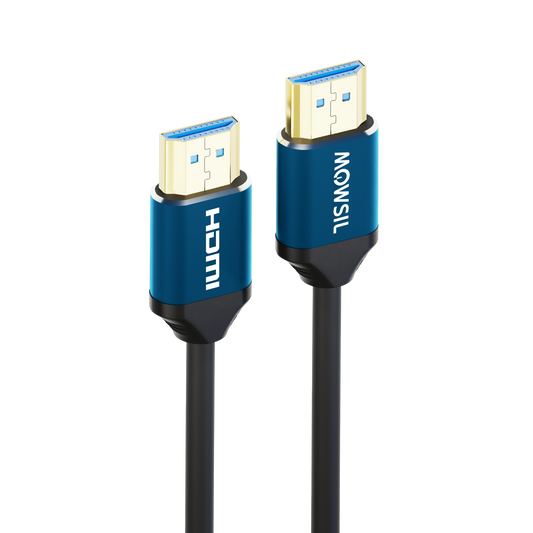
To make sure your expensive displays work the way they are supposed to without any problems you need to pick the company to work with. Mowsil is a company that can help you with this. They make good cables like AOC HDMI cables and high performance HDMI cables that can handle big corporate meetings and complicated digital signs. Their cables can send 4K and 8K pictures over long distances. If you use Mowsil to set up your audio visual system you will not have to worry about your internet connection being slow or dropping. This means your displays will always be clear and work well.