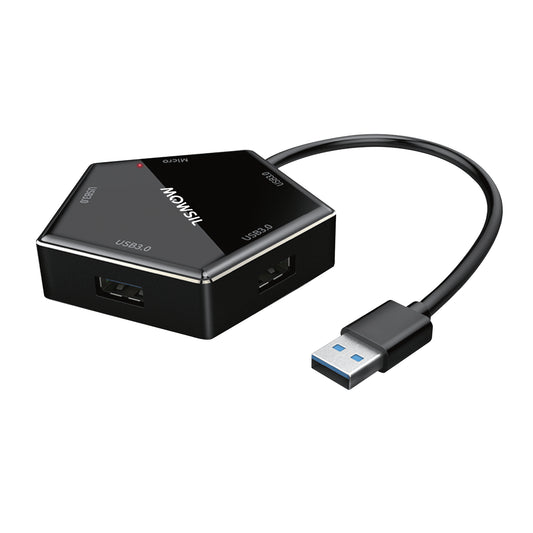
Premium Multi-Port Docking Solutions for Advanced Device Integration
Modern computers are achieving a sleeker design and style and as a result, high-end laptops and ultrabooks are equipped with fewer physical ports. MOWSIL USB hubs are designed to tackle this problem by expanding a digitized, fast workstation ecosystem from a single port. These hubs are designed for high-level business devices and high-demand markets, like those present in Qatar. Our hubs are compact in design and allow accessories to be added without causing any issues to the operating system or the business device.
Remote business executives and procurement managers looking to upgrade their home office with a 4K USB hub Qatar need to be aware of the type of controller chip that the expansion dock they are considering contains. Cheap multi-port hubs tend to drop connections, experience flickering displays, and overheating as they try to cope with demanding tasks. MOWSIL hubs come with a power and data processing separation making external hard drives, high-end displays, and networks work together seamlessly in a desktop portable form.
Active Infrastructure for Heavy Digital Workflows
Upgrading your desk layout should feel like an improvement, not a difficult choice. When you need to connect your laptop to a very good quality workstation, a separate backup drive and a safe company network your expansion hub has to handle a lot of data traffic.
MOWSIL USB hubs are made to handle a lot of data. They do this by splitting up the data into smaller parts and sending them through each port separately. This way they can keep sending data at speed even when all the ports are being used. Whether you are sending project files in Doha or connecting your mobile device to a big screen in a meeting room the hardware works right away keeping your work going smoothly and staying organized.
Core Operational Advantages of MOWSIL Expansion Hubs
Building a digital system needs some extra parts that work well when they are used a lot. MOWSIL -port adapters are made to be strong and work properly all the time. They are good, for installations that need to be done just right. MOWSIL -port adapters have some important improvements that meet the high standards of modern local installations.
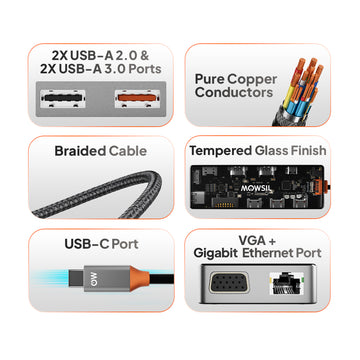
- Ultra-High-Definition Video Pipelines: Integrated HDMI controllers support crisp 4K display output, ensuring sharp, lag-free visuals on external monitors and premium smart screens.
- Dedicated Gigabit Ethernet Control: High-speed RJ45 network ports deliver stable, low-latency wired internet connections, which are essential for secure corporate environments.
- Smart Power Delivery (PD) Routing: Pass-through charging layers safely channel up to 100W of power directly to your host computer, keeping your laptop charged while running multiple accessories.
- Anodized Aluminum Thermo-Casings: Slim, heat-dissipating metal shells quickly channel internal thermal energy outward, keeping the hub cool during long, heavy work blocks.
Targeted Multi-Port Configurations in the MOWSIL Collection
MOWSIL is here to help you set up your workstation in a way that works well for you. They have multi-port architectures that are made for different kinds of physical setups. This means MOWSIL has something, for every MOWSIL user so you can pick the one that fits your MOWSIL needs.
Slim High-Speed Data Hubs
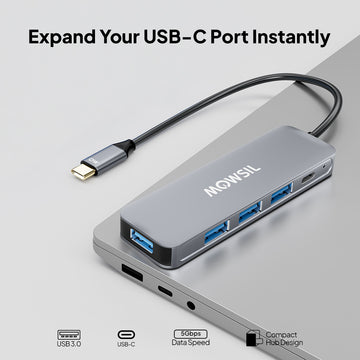
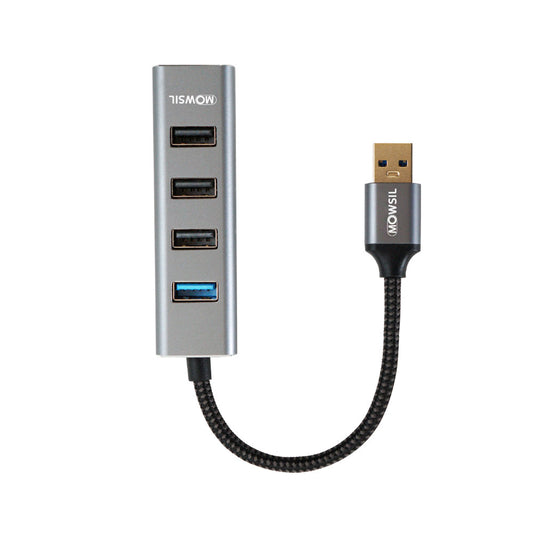
Engineered purely to expand standard USB connections, these sleek accessories add multiple high-speed USB 3.0 ports to your setup. They are excellent for connecting external solid-state storage drives, wireless input peripherals, and design tools.
Primary Use Cases: Mobile workspaces, clean desk setups, everyday office device management
Gigabit Network Expansion Docks
These advanced hubs pair high-speed USB data slots with a dedicated USB Hub with Ethernet Port Qatar terminal. This gives modern ultra-books instant access to ultra-stable wired local networks.
Primary Use Cases: High-security financial workspaces, remote video conferencing setups, data-heavy programming lines
Integrated 4K Visual Docks
Equipped with dedicated HDMI decoding chips, these premium hubs merge multi-port data slots with stable video channels, allowing devices to push clear 4K visuals straight to high-end monitors or projection displays.
Primary Use Cases: Creative design studios, architectural drafting setups, multi-screen executive offices
All-in-One Multi-Function Docks
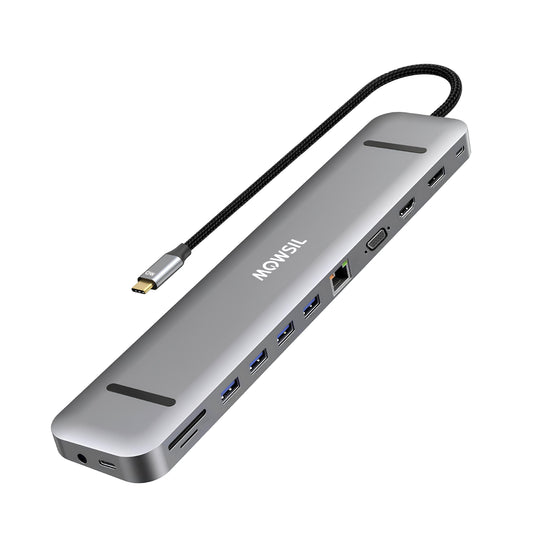
Comprehensive docking solutions that pack high-speed USB ports, 4K HDMI video lines, Gigabit RJ45 Ethernet terminals, and fast SD/MicroSD card readers into a single premium enclosure.
Primary Use Cases: Advanced professional workstations, video editing environments, complete boardroom integration
Driving Productivity Across Qatar's Professional Sectors
MOWSIL USB expansion platforms are really easy to use because they do not need any power cubes or complicated setups. This makes them perfect for offices.
Modern Corporate Headings and Shared Workspaces
In areas like Dohas West Bay and the Pearl-Qatar people often switch desks and workspaces. MOWSIL hubs are great for this because they let you plug in your laptop with one cable and instantly connect to a big screen the local network and other accessories. You do not have to waste time figuring out how to make it work.
Advanced Research Labs and Academic Institutions
Some schools and education centers have a lot of computers and devices that they use for research. MOWSIL -port stations make it easy to connect all of these devices together so researchers can use storage and projectors without any problems. It is all very simple and easy to use.
Creative Studios and Architectural Design Firms
People who make videos and design things need to be able to move files quickly. MOWSIL is good, for this because it has connections that will not accidentally stop working. This means you can work safely and quickly with big files and multiple screens.
Why MOWSIL is the Right Choice for Your Digital Setup
When you choose MOWSIL you are getting a product that's reliable, sturdy and well designed. MOWSIL products are made to help devices communicate with each other. They are built to last. Choosing MOWSIL means you are investing in a product that will make your work easier.
- Rock-Solid Interface Stability: Built to prevent sudden peripheral disconnects, display flickers, and network drops during heavy multi-device usage.
- Tough, Travel-Ready Construction: Durable metal casings protect the delicate internal circuits from the regular bumps of daily commuting and travel.
- Smart Power Architecture: Protects your valuable devices from over-current and short-circuit spikes while using fast pass-through charging.
- Convenient Online Procurement: Readily available on leading local digital marketplaces for fast, reliable delivery right to your door in Qatar.
Explore Advanced MOWSIL USB Hubs in Qatar
If you are looking to buy a high-performance 4K USB Hub Qatar or upgrading your workspace with a USB Hub with Ethernet Port Qatar, MOWSIL offers an intelligent collection of multi-port docking stations tailored for modern corporate facilities, creative studios, and streamlined home offices.
With focused engineering quality, durable physical architecture, and quick regional shipping, MOWSIL removes the clutter from multi-device layouts, ensuring your entire technology ecosystem stays perfectly connected.
Frequently Asked Questions
1. What is a USB hub used for?
A USB hub expands a single USB port into multiple ports, allowing you to connect several devices at once.
2. Can USB hubs support multiple devices simultaneously?
Yes, USB hubs are designed to handle multiple connected devices such as keyboards, drives, and accessories at the same time.
3. Do USB hubs support 4K display output?
Some USB hubs support 4K display output, depending on the model and compatibility with your device.
4. What is a USB hub with Ethernet used for?
A USB hub with Ethernet allows you to connect your device to a wired internet connection while also using additional USB ports.
5. Are USB hubs easy to use?
Yes, most USB hubs are plug-and-play and do not require additional setup or software.
6. Can I use a USB hub with a laptop?
Yes, USB hubs are commonly used with laptops to expand available ports and connect multiple peripherals.
7. Do USB hubs affect data transfer speed?
Data transfer speed depends on the hub specifications and connected devices. Using a high-speed hub ensures better performance.
8. Can USB hubs be used for office setups?
Yes, they are widely used in office environments to connect multiple devices efficiently.
9. Are USB hubs suitable for gaming setups?
Yes, USB hubs can be used to connect gaming peripherals such as controllers, keyboards, and external storage.
10. Can I connect external hard drives using a USB hub?
Yes, USB hubs support external drives, but performance depends on the hub’s power and data capabilities.
11. Do USB hubs require external power?
Some hubs are powered directly through the device, while others may require external power for high-demand setups.
12. How do I choose the right USB hub?
Choose based on the number of ports, required features like display or Ethernet support, and your overall setup needs.