Skip to content
Skip to product information
1 of 9

In stock

View datasheet
SKU MOHD212 HDMI Cables

Mowsil 8K HDMI 2.1 Cable

Experience the future of visual performance with the Mowsil HDMI 8K 60Hz 2.1 Cable (Certified). Built to deliver breathtaking picture clarity, this cable supports 8K resolution at 60Hz and 4K at 120Hz, offering a true next-generation entertainment and gaming experience.

Length

Engineering & functional highlights

  • Supports 8K @ 60Hz and 4K @ 120Hz Ultra HD Resolution
  • HDMI 2.1 Version with 48Gbps Bandwidth
  • Dynamic HDR, HDR10, Dolby Vision & Dolby Atmos Audio
  • 24K Gold-Plated Connectors for Maximum Signal Stability
  • OD 6.3mm Durable Braided Cable for Long Life
  • Supports eARC, ARC, DTS:X, and TrueHD Audio Formats
  • Compatible with PS5, Xbox Series X/S, 8K TVs, MacBook Pro & More
  • Certified HDMI Cable — Tested for High-Bandwidth 8K Performance

Technical specifications

HDMI Version2.1
Resolution Support8K @ 60Hz / 4K @ 120Hz / 10K @ 60Hz
BandwidthUp to 48 Gbps
Connector Type24K Gold-Plated HDMI Male to Male
Cable Outer Diameter (OD)6.3 mm
Color FormatRGB 4:4:4, 12-bit Deep Color
Supported TechnologiesALLM, VRR, QMS, QFT, SBTM
Audio SupporteARC / ARC / Dolby TrueHD / DTS:X / Dolby Atmos
CompatibilityGaming PC, PS5, Xbox Series X/S, Apple TV, MacBook Pro, Soundbar, Projector, OLED TVs, Monitors
MaterialBraided Cable with Aluminum Alloy Connector
Length OptionsAvailable in 2 m, 3 m, and 5 m
CertificationOfficial HDMI Certified
View full details

Mowsil 8K HDMI 2.1 Cable

Experience the future of visual performance with the Mowsil HDMI 8K 60Hz 2.1 Cable (Certified). Built to deliver breathtaking picture clarity, this cable supports 8K resolution at 60Hz and 4K… Read full description Show less

Experience the future of visual performance with the Mowsil HDMI 8K 60Hz 2.1 Cable (Certified). Built to deliver breathtaking picture clarity, this cable supports 8K resolution at 60Hz and 4K at 120Hz, offering a true next-generation entertainment and gaming experience. With a 48Gbps bandwidth, Dynamic HDR, and eARC/ARC audio support, it ensures stunning image accuracy and immersive sound. Crafted with a 24K gold-plated connector and 6.3mm thick cable, it provides ultra-stable transmission and minimal signal loss. Designed for compatibility with the latest devices like PS5, Xbox Series X, 8K TVs, projectors, and gaming PCs — Mowsil’s certified HDMI 2.1 cable guarantees future-ready performance and durability.

Mowsil 8K HDMI 2.1 Cable
Mowsil 8K HDMI 2.1 Cable — Home cinema setup
Mowsil 8K HDMI 2.1 Cable — High-resolution creative workstation
Mowsil 8K HDMI 2.1 Cable — High-refresh gaming
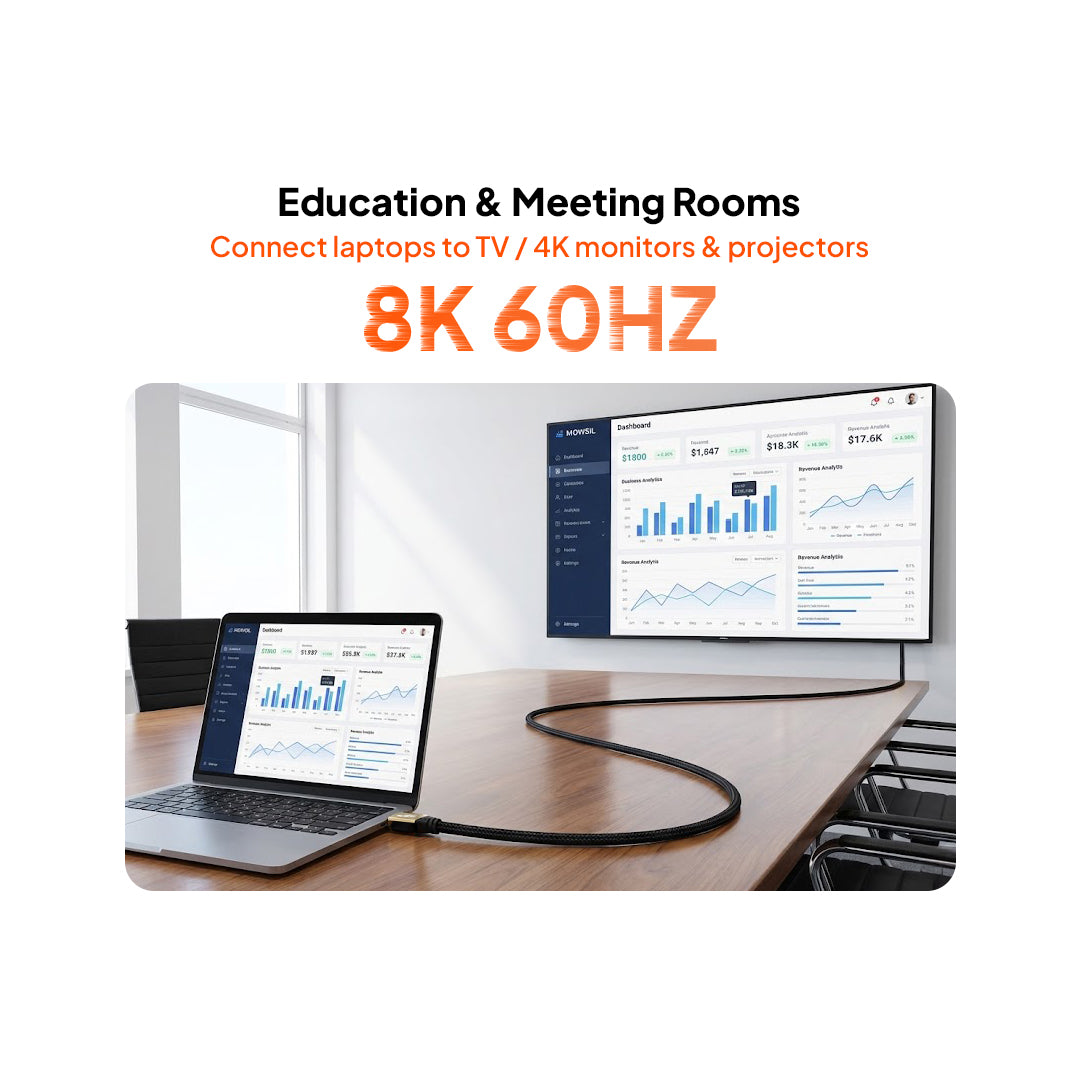
Mowsil 8K HDMI 2.1 Cable — Classroom and meeting room displays

Additional information

  • Warranty: 2 Year Manufacturer Warranty
  • Country of Origin: China
  • Brand Registration: United Kingdom
  • Product Dimensions: Available in 2 m, 3 m, and 5 m lengths
  • Packaging Includes: Mowsil HDMI 8K 60Hz 2.1 Cable
  • Usage: Ideal for 8K entertainment setups, gaming consoles, home theaters, and professional displays
  • Compatibility: Works with all HDMI 2.1, 2.0, and backward-compatible devices

Upgrade your entertainment and display setup with a cable designed for modern high-resolution applications. The MOWSIL 8K HDMI 2.1 Cable – MOHD212 provides a convenient connection between compatible gaming consoles, computers, televisions, projectors, and home theatre equipment. Whether you are building a gaming station, connecting a large-screen display, or arranging a home entertainment system, it offers a single-cable solution for transmitting digital audio and video.

Designed for both entertainment and professional environments, this cable supports a range of applications, from high-refresh-rate gaming and cinematic viewing to multimedia presentations and desktop display connections. Its different length options also provide flexibility when arranging equipment across desks, entertainment units, and home theatre installations.

Key Features

Enhanced Gaming Connectivity

Connect compatible gaming consoles and computers to supported televisions and monitors. Features such as Variable Refresh Rate (VRR), Auto Low Latency Mode (ALLM), and Quick Frame Transport (QFT) help create a smoother and more responsive gaming experience by addressing screen tearing and display latency.

Home Theatre Integration

Connect compatible televisions, soundbars, and AV receivers to create an integrated home entertainment system. The eARC connection allows supported televisions to transmit audio to external sound equipment, making it suitable for home theatre arrangements with compatible surround-sound systems.

High-Quality Video Playback

Use the cable to connect compatible media players, computers, and gaming devices to high-resolution displays. It is suitable for watching movies, streaming supported content, viewing digital media, and enjoying detailed visuals on compatible televisions and monitors.

Professional Display Connectivity

Connect laptops and desktop computers to projectors, external monitors, and large-screen displays in offices, meeting rooms, classrooms, and presentation environments. It provides a practical connection for displaying presentations, videos, graphics, and other digital content.

Flexible Device Connections

Use the cable across different HDMI-enabled entertainment and workstation setups. It can connect compatible gaming consoles, streaming devices, computers, televisions, monitors, projectors, and AV receivers, depending on the available ports and supported features of the connected equipment.

Suitable Applications

  • Gaming setups: Connect compatible PS5, Xbox Series X/S and gaming PCs to supported high-refresh-rate displays.
  • Home entertainment: Connect televisions, media players and external audio equipment for movies, streaming and multimedia playback.
  • Desktop workstations: Connect computers to external monitors for productivity, creative applications and high-resolution content viewing.
  • Business presentations: Link laptops and other HDMI-enabled devices to projectors and conference room displays.
  • Home theatre installations: Connect compatible televisions, AV receivers and soundbars for integrated audiovisual experiences.

Choosing the Right Cable Length

The MOWSIL HDMI cable is available in 2 m, 3 m, and 5 m options to accommodate different equipment arrangements. Consider the distance between the source device and display, along with the intended cable routing, before selecting a length.

  • 2 metres: Suitable for nearby connections, such as a gaming console connected to a television on the same entertainment unit.
  • 3 metres: Provides additional flexibility for desktop setups, monitor connections and moderately spaced entertainment equipment.
  • 5 metres: Suitable for arrangements where source devices and displays are positioned farther apart, including some home theatre and projector installations.

For installations involving longer cable runs, confirm that the selected cable length supports the required resolution, refresh rate, and signal format.

Device Compatibility and Connection Setup

The MOWSIL MOHD212 can be used with compatible HDMI-enabled devices, including gaming consoles, desktop computers, laptops, televisions, monitors, projectors, streaming devices, and AV receivers.

Before connecting, check that the source device and receiving display support the intended resolution, refresh rate, and other required features. If the connection involves an AV receiver, HDMI switch, or other intermediary equipment, verify that every component supports the required signal specifications.

Important Compatibility Information

An HDMI cable's supported resolution and refresh rate do not automatically determine the output performance of a connected device. The source device, display, HDMI ports, and any intermediate equipment must support the intended video and audio formats.

For example, achieving 4K at 120Hz requires compatible output support from the source device and corresponding input support from the display. Similarly, features such as VRR, ALLM, eARC and Dynamic HDR require compatible equipment and appropriate connection settings.

The cable is backward-compatible with earlier HDMI equipment. However, when connected to older devices, the available features and performance will depend on the capabilities of those devices.

Frequently asked questions

1. Can I use an HDMI 2.1 cable with an older HDMI television?
Yes. HDMI cables are designed to support connections with compatible earlier HDMI equipment. However, the available resolution, refresh rate, and other features will be limited by the capabilities of the television and connected source device.
2. Does using an 8K HDMI cable automatically provide 8K picture quality?
No. The source device must generate an 8K signal, and the connected television or monitor must support 8K input. The HDMI port and any intermediate equipment must also support the required signal format.
3. What is the difference between VRR and ALLM?
VRR synchronises the display's refresh rate with the gaming device's frame output to reduce screen tearing and stuttering. ALLM automatically switches a compatible television into a low-latency mode when it detects a gaming signal.
4. Can I connect my gaming console through an AV receiver?
Yes, provided the gaming console, AV receiver, and television support the required connection standards and display features. Check the receiver's HDMI input and output capabilities to ensure that it can pass through the intended video signal.
5. What is the purpose of HDMI eARC in a home theatre setup?
eARC allows compatible televisions to send audio to external equipment, such as soundbars and AV receivers, through an HDMI connection. It supports higher-bandwidth audio transmission and advanced audio formats, including compatible lossless audio configurations.
6. Can I use this cable to connect a laptop to a projector?
Yes. You can connect an HDMI-enabled laptop to a compatible projector for presentations, video playback, and other display applications. The output resolution and refresh rate depend on the capabilities of both devices.
7. What should I check if my HDMI connection does not display an image?
Check that the cable is securely connected at both ends, the correct HDMI input is selected on the display, and the source device is configured to output a supported resolution. You can also restart the connected devices and check for any issues with intermediate equipment.
8. Does HDMI 2.1 support variable refresh rates for PC gaming?
Yes. HDMI 2.1 includes VRR support for compatible displays and graphics hardware. The feature must also be supported and enabled by the connected devices and their software or display settings.
9. Can I connect multiple devices using one HDMI cable?
One HDMI cable connects a source device to a receiving device. To connect multiple sources to a single display, you can use a compatible HDMI switch or AV receiver. Check that the additional equipment supports the required signal specifications.
10. What should I consider when installing an HDMI cable behind a wall-mounted television?
Consider the distance between the television and source equipment, available cable routing space, connector clearance, and access to HDMI ports. For concealed installations, also verify that the cable meets the applicable in-wall installation requirements.

Enquiry Cart

Models selected: 0

Your quotation basket is empty.

    Back to top

    Technical specifications