MOWSIL Peripherals – Reliable Workstation Upgrades for Modern Workspaces in Bahrain
The rapidly changing digital world is placing a lot of demands on new devices every day, and MOWSIL peripherals provide solutions that meet these needs without introducing any additional complications. The company specializes in developing tools that function well and are extremely reliable for your workspace; they help create a link between the primary device you use to perform your regular daily duties (e.g., computer, tablet, smartphone, gaming console, etc.) and any other daily tasks you might have (e.g., printing, scanning).
MOWSIL has an extensive range of products available online in Bahrain that can maximize your digital setup with a complete list of peripherals required to get the job done. Some of these items include multi-port USB hub products, adapters, extension cables, keyboards, mice, and premium aluminum laptop stands. All of these products are designed to work well with all kinds of operating systems and will support virtually every type of hardware configuration.
Built for Sustainable Performance, Not Hype
A great hardware accessory shouldn’t require constant troubleshooting or complex software installations. MOWSIL peripherals prioritize consistent hardware performance over decorative gimmicks. We focus on real-world engineering metrics—like using premium internal shielding to eliminate Wi-Fi interference and choosing durable materials that handle consistent daily use.
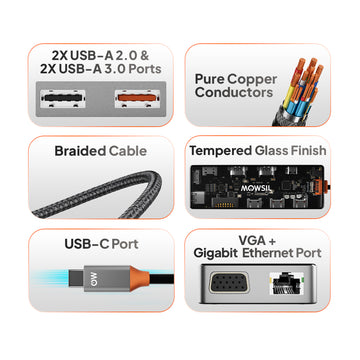
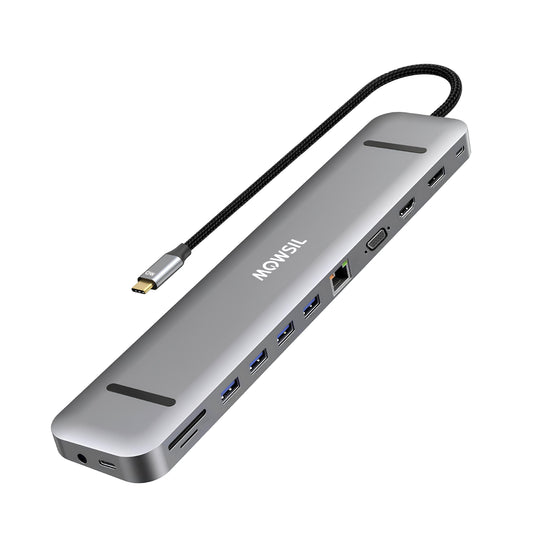
For instance, our signature USB-C hubs are constructed using high-grade aluminum shells that act as natural heat sinks, keeping internal chipsets cool even when handling high-speed data transfers and external video displays simultaneously. Every single item in our lineup is built to step back and let you focus entirely on your work.
What Sets MOWSIL Peripherals Apart
MOWSIL does not make promises that they cannot keep. Instead MOWSIL builds hardware that is based on how it is made and how long it will last. This is what MOWSIL means by reliability. MOWSIL focuses on building MOWSIL hardware that is strong and reliable.
- Premium Aluminum Casings: Promotes faster heat dissipation to protect sensitive internal components.
- Reinforced Strain Relief: Heavy-duty connector joints prevent loosening or port damage over long-term deployment.
- Top-Tier Chipsets: Minimizes connection dropouts, screen flickering, and unexpected device ejections.
- Minimalist Aesthetics: Sleek, structural profiles that fit cleanly into any modern corporate office or home desk arrangement.
Key Features of MOWSIL Peripherals
✔ High-Speed Data Synchronization: Supports zero-lag data transmissions up to 5Gbps and 10Gbps across multi-device configurations.
✔ Universal Compatibility: Integrates natively across Windows, macOS, Android, and Linux platforms.
✔ Instant Plug-and-Play Functionality: Ready to deploy out of the box with absolutely no external drivers or firmware updates required.
✔ Advanced Power Delivery (PD): Intelligent pass-through charging capabilities ensure host laptops stay powered during high-intensity usage.
✔ Shielded Architecture: Prevents cross-signal wireless noise to guarantee steady Bluetooth and internet connections.
Product Range Within MOWSIL Peripherals
Keyboards and Mice
Engineered for a response and accurate tracking these essential devices give the tactile feedback required for editing, formatting and managing data for a long time. They help with editing tasks.
These devices provide the kind of feedback you need when working on data management tasks. They are made for responsiveness and precise tracking. This makes them ideal for tasks, like editing and formatting that take a while.
Primary Use Cases: Professional corporate offices, data entry hubs, and focused content-creation setups.
USB Hubs and Multi-Port Adapters
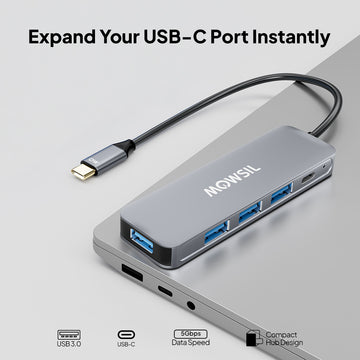
You can make your laptop do things. You can use one port on your laptop. Turn it into lots of ports. This means you can use your laptop with a monitor that has a high-resolution HDMI connection. You can also use storage drives and older inputs like USB ports at the same time. This is really useful because you can use your laptop with lots of things all, at once. Your laptops laptop will be able to do lots of things.
Primary Use Cases: Modern ultra-slim laptops, presentation rooms, and multi-display desktop environments.
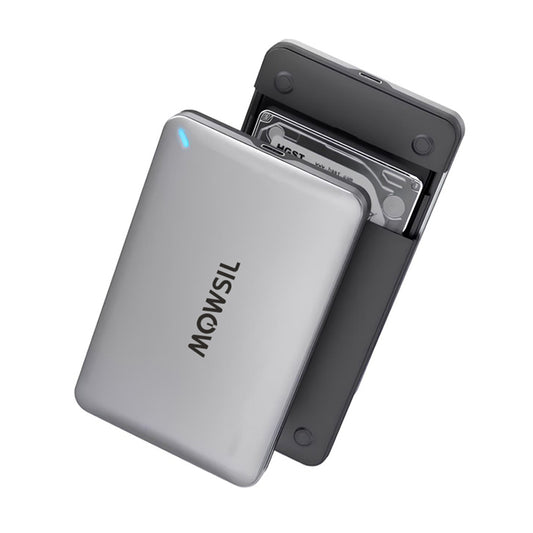
USB to SATA Adapters and Solid-State Drive (SSD) Enclosures
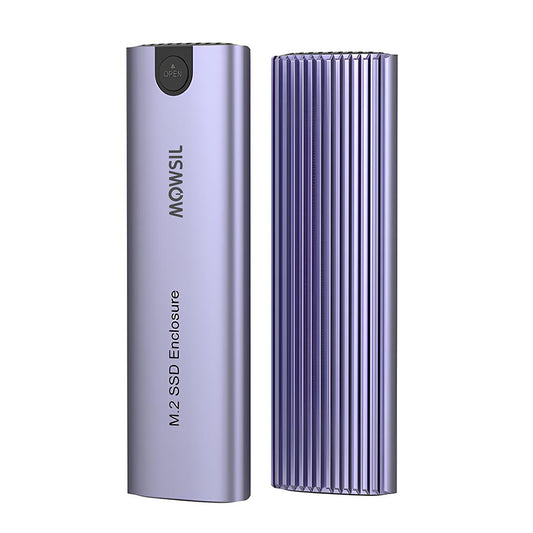
Easily extract, back up, or clone critical enterprise data from raw storage drives without mounting them internally.
Primary Use Cases: IT system maintenance, large-scale media backups, and legacy drive recovery.
High-Speed Extension Cables
Position your essential workspace hardware exactly where you want it. Our heavy-duty extension links preserve signal integrity and data transfer velocities across extended distances.
Primary Use Cases: Structured cable management, clean workspace arrangement, and remote camera or sensor placement.
Ergonomic Adjustable Laptop Stands
Crafted from aluminum our adjustable stands lift screens to a viewing height. This helps reduce neck strain. The open design allows air to flow freely keeping equipment cool.
Primary Use Cases: Extended remote work sessions, dual-screen alignments, and structural desk organization.
Tailoring Accessories to Your Professional Requirements
Choosing the digital workspace accessories is all about looking at how you work every day. You have to think about what you do and how you do it. The digital workspace accessories you pick depend on your routine and the things you need to get done. You need to figure out what works best for you and your daily work.
The digital workspace accessories are important because they can make your work easier or harder depending on what you choose. So it is an idea to take some time and think about what digital workspace accessories are right, for you and the way you work every day.
- Port Architecture Constraints: If your mobile machine prioritizes a slim chassis over port variety, an aluminum multi-port USB hub becomes a necessity to connect basic daily essentials.
- Ergonomic Analysis: If your operational schedule requires sitting in front of a monitor for multiple consecutive hours, pairing external input devices with an adjustable laptop stand drastically improves posture.
- Data Flow Volume: For professionals regularly shuffling massive video layouts or asset archives, matching your machine with Gen 2 high-speed adapters protects against processing bottlenecks.
Seamless Integration Across Multiple Industries
MOWSIL peripherals are able to work well in different places because they can adapt to what each place needs. They can change to fit the demands of distinct working environments, like offices or factories. MOWSIL peripherals do this naturally which is very useful. This means MOWSIL peripherals can be used in different types of working environments.
- Corporate Environments: Standardizing desks with multi-display hubs, reliable input tools, and structural stands streamlines productivity across the office floor.
- Flexible and Remote Workspaces: Light, durable, and highly packable expansion tools let professionals transform any remote table into a full-scale workstation instantly.
- Modern Educational Facilities: Native compatibility across old and new connection standards allows instructional environments to link media projectors and teaching tools with ease.
- Media Production Hubs: Fast data pathways and cool-running SSD housings supply the reliable architecture that designers and editors need to handle high-fidelity projects smoothly.
Why MOWSIL Peripherals are the Smart Choice
Using MOWSIL for your setup is not about getting more things. It is, about making your daily work better. MOWSIL helps make your daily work stronger and more useful. When you use MOWSIL you are making sure your daily workflow is good and works with MOWSIL.
- Unwavering Integrity: Built using top-tier internal chipsets to keep connections rock-solid all day long.
- Functional Focus: We design for tangible workspace utility, stripping away unnecessary software bloat.
- Balanced Value: Premium enterprise-grade engineering delivered at an accessible price point.
- Regional Accessibility: Streamlined logistics systems across Bahrain make it straightforward to upgrade your setup with minimal transit delays.
Upgrade to the Latest: Explore MOWSIL Peripherals in Bahrain
When you decide to order peripherals online in Bahrain, choosing MOWSIL means choosing a clean, uncompromised path to daily efficiency. Our focused selection of USB hubs, tactical input tools, stable adapters, and structural laptop stands ensures your primary computing assets always perform at their highest capacity.