Everyday Connectivity for Devices, Data, and Power
MOWSIL USB cables are designed to support essential connections between devices, enabling data transfer, charging, and peripheral integration across a wide range of setups. Whether you're connecting storage devices, charging smartphones, or linking accessories to a workstation, these cables provide a straightforward and dependable solution for modern digital environments.
From home setups to USB Cables for Offices, MOWSIL offers cable options that help maintain consistent device communication without adding complexity. If you're planning to Order USB Cables in UAE, this range is structured to support both individual users and larger setups with varied connectivity needs.
Built for Practical Connectivity
USB cables are one of the most widely used components in any setup, connecting everything from laptops and desktops to printers, smartphones, and external drives. Choosing the right cable ensures smooth operation across devices without interruptions or compatibility issues.
MOWSIL USB cables are suitable for:
- Charging mobile devices and accessories
- Connecting peripherals such as keyboards, printers, and storage drives
- Transferring data between devices
- Supporting workstation and office setups
These cables are commonly used across USB Cables for Workstations, where multiple devices need to function together efficiently.
Key Features of MOWSIL USB Cables
MOWSIL USB cables are designed with features that support everyday use across different environments:
Data Transfer and Charging Support – Enables both power delivery and file transfer between devices
Standard Connector Compatibility – Available in common formats such as USB-A, USB-C, and Micro USB
Multiple Length Options – Suitable for both short-distance and extended setups
Consistent Signal Transmission – Designed to maintain stable connections during use
Flexible and Durable Build – Supports regular handling without affecting usability
Plug-and-Use Functionality – Works without the need for setup or software installation
Types of USB Cables Available
MOWSIL USB cables come in different formats to match various device requirements:
USB-A to USB-C Cables
Used for connecting newer USB-C devices to traditional USB-A ports found on computers and chargers.
Best for: Charging and syncing modern smartphones and devices
USB-A to Micro USB Cables
Commonly used for older devices such as accessories, cameras, and certain mobile devices.
Best for: Legacy device compatibility
USB-C to USB-C Cables
Designed for devices that support USB-C connections on both ends, including laptops, tablets, and newer smartphones.
Best for: Faster charging and data transfer between modern devices
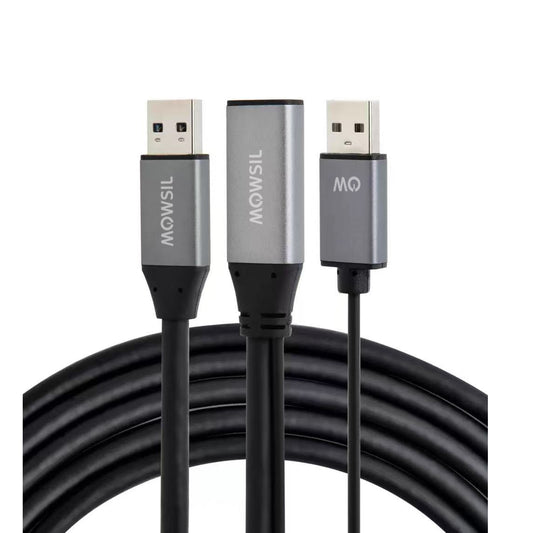
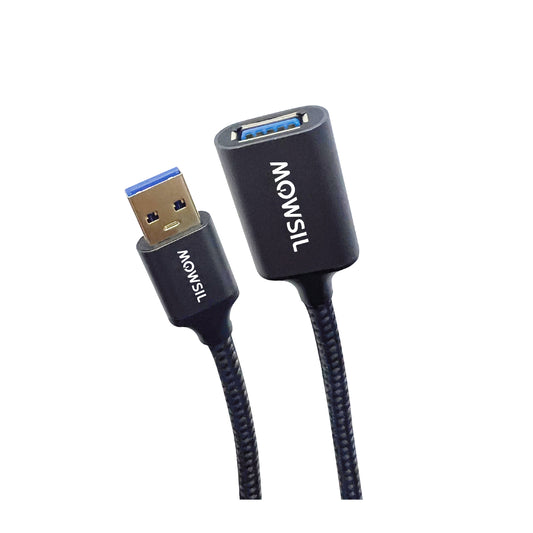
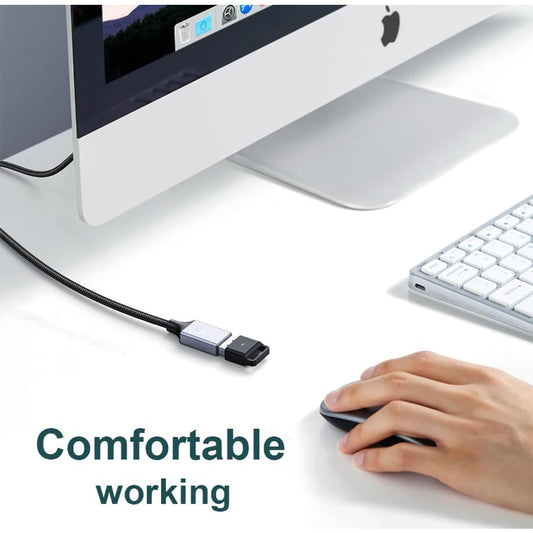
USB Extension Cables
Extend the reach of your existing USB connections, allowing devices to be placed more conveniently within your setup.
Best for: Desktop setups and flexible workspace layouts
Choosing the Right USB Cable
Selecting the correct USB cable depends on how you plan to use it:
Device Compatibility
Ensure the cable matches the ports on both your source device and the device you're connecting.
Purpose of Use
- For charging → Choose cables that support power delivery
- For data transfer → Ensure compatibility with required speeds
- For peripherals → Choose based on connector type
Cable Length
Shorter cables are suitable for desk setups, while longer cables are useful for extended reach.
Usage Environment
For daily use in offices or workstations, choose cables that can handle repeated plugging and unplugging.
Where MOWSIL USB Cables Fit Best
MOWSIL USB cables are designed to support a wide range of environments:
Office and Workstations
Used to connect multiple devices such as printers, storage drives, and input peripherals in structured setups.
Home and Personal Use
Suitable for charging devices, syncing data, and connecting everyday accessories.
Professional Setups
Used in environments where multiple devices need consistent connectivity, such as IT setups and production spaces.
Portable Use
Compact and easy to carry, making them useful for users working across different locations.
Practical Connectivity Without Complication
USB cables are a fundamental part of any digital setup. Instead of adding unnecessary features, MOWSIL focuses on providing cables that perform their intended function effectively across different devices and environments.
Whether you're connecting a single device or managing multiple peripherals, choosing the right cable ensures smooth operation and reduces connection issues.
Why MOWSIL USB Cables Make Sense
Versatile Connectivity
Supports a wide range of devices, from smartphones to workstations.
Flexible Usage
Designed for both personal and professional environments.
Clean Integration
Helps maintain organized setups by supporting structured connectivity.
Wide Availability Across UAE
Easily accessible for users looking to upgrade or replace cables when needed.
Explore MOWSIL USB Cables
If you need a practical solution for charging, data transfer, or device connectivity, MOWSIL USB cables offer options that support both everyday use and structured setups.
Frequently Asked Questions
1. What are USB cables used for?
USB cables are used for charging devices, transferring data, and connecting peripherals such as keyboards, printers, and storage drives.
2. Are all USB cables the same?
No, USB cables differ based on connector type, speed, and power delivery capabilities.
3. Can USB cables transfer data and charge at the same time?
Yes, most USB cables support both functions, depending on their specifications.
4. What is the difference between USB-A and USB-C?
USB-A is a traditional connector, while USB-C is a newer, reversible connector that supports faster speeds and power delivery.
5. How do I choose the right USB cable?
Choose based on your device ports, required speed, and intended use such as charging or data transfer.
6. Are USB-C cables faster than older USB cables?
Yes, USB-C cables generally support higher data transfer speeds and faster charging compared to older types.
7. Can USB cables be used for printers?
Yes, specific USB cables are commonly used to connect printers to computers.
8. What cable length should I choose?
Select based on your setup distance—short cables for desks and longer ones for extended reach.
9. Are USB cables suitable for office setups?
Yes, they are widely used in offices to connect and power multiple devices.
10. Do USB cables require installation?
No, USB cables are plug-and-play and work immediately when connected.
11. Can USB cables connect external storage devices?
Yes, they are commonly used to connect hard drives and USB flash drives.
12. Do USB cables affect charging speed?
Yes, cable quality and specifications can impact charging efficiency and speed.







 Sale price From 199.00Unit price per