Skip to content

Collection: A/V Converters

Flexible Audio‑Visual Conversion Solutions for Modern Displays

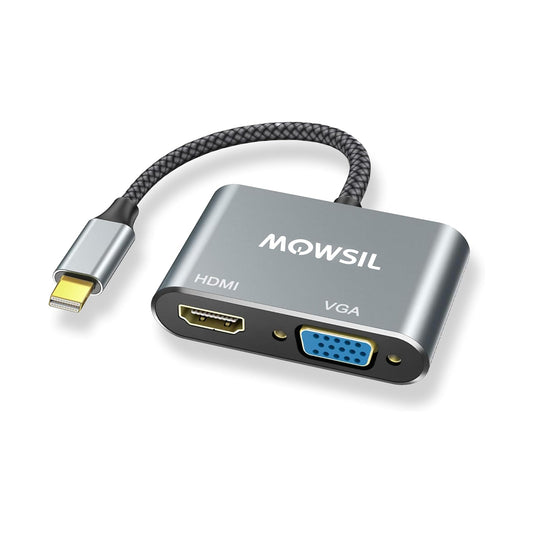
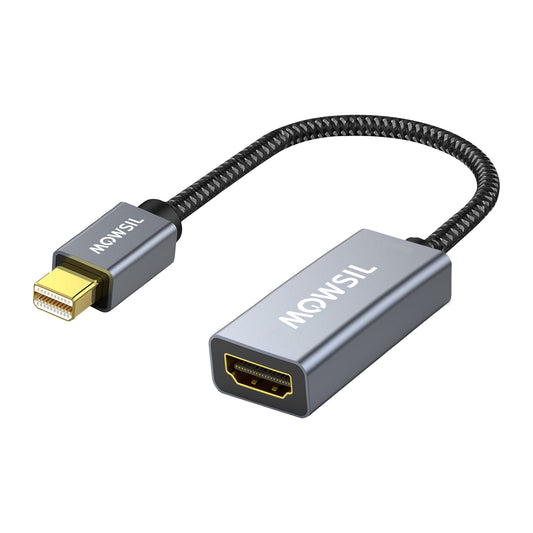
MOWSIL A/V converters provide flexible and effective solutions for converting between different audio‑visual formats, helping your devices communicate smoothly even when connection types differ. Whether you’re linking HDMI sources to VGA displays, adapting VGA computers to HDMI screens, or integrating composite systems into modern setups, MOWSIL converters simplify compatibility challenges without adding complexity. These products are suitable for a wide range of environments, from AV Converters for Offices and conference spaces to educational labs and home entertainment systems throughout the UAE.

If you’re looking to buy A/V converters online in UAE, our selection includes options that support popular formats and connection standards, helping you connect older equipment with newer displays or build mixed AV setups with confidence.

Why MOWSIL A/V Converters Stand Out

Many AV conversion tools claim to work universally, but not all deliver consistent performance or broad compatibility. MOWSIL converters are designed to address these challenges with thoughtful engineering and practical feature sets:

Purpose‑Built Conversion for Diverse Setups

MOWSIL A/V converters aren’t just simple adapters, they translate signals between standards that otherwise wouldn’t communicate. For example:

  • Convert VGA output from older desktops to HDMI for modern displays.

  • Link HDMI sources with legacy projectors or screens using composite inputs.

  • Adapt audio outputs to match the input requirements of different systems.

This capability makes them useful in environments where equipment varies by age or standard.

Compatibility Across Devices

Our converters work with a wide variety of video sources and displays, including:

  • HDMI monitors and TVs

  • VGA projectors and screens

  • AV systems using composite or analog outputs

  • Legacy audio and video equipment

This broad support helps preserve investments in older hardware while enabling integration with newer technologies.

Effective Signal Conversion, Minimal Configuration

MOWSIL converters focus on functional simplicity. Rather than requiring complex setup, they typically operate in a plug‑and‑play manner, allowing easy installation in both temporary setups and long‑term installations.

Application Scenarios for A/V Converters

MOWSIL A/V converters are useful in a variety of contexts where format mismatch would otherwise hinder operations. Here are common cases where our converters are applied:

Professional Workspaces

In conference rooms and collaborative environments, different meeting participants may bring devices with different outputs. MOWSIL converters help bridge those gaps, ensuring presentations, training sessions, and video calls proceed without technical obstacles.

Educational and Training Spaces

Classrooms often feature a mix of older PCs and modern displays. MOWSIL converters allow instructors to connect older machines with VGA or composite outputs to new HDMI screens, maximizing usability without costly equipment replacement.

Home Entertainment Upgrades

Home theaters with legacy AV equipment can benefit from converters that bring older sources into HDMI‑centric setups, enabling families to enjoy video and audio content across multiple generations of devices.

Events and Venues

For event organizers, connecting rented or guest equipment to venue setups becomes simpler when multiple display formats are supported. MOWSIL converters help ensure that any presenter’s device works with installed screens.

Key MOWSIL A/V Converter Types

Understanding the right converter type for your application helps ensure a smooth connection. Below is a breakdown of common MOWSIL converter variants and their use cases:

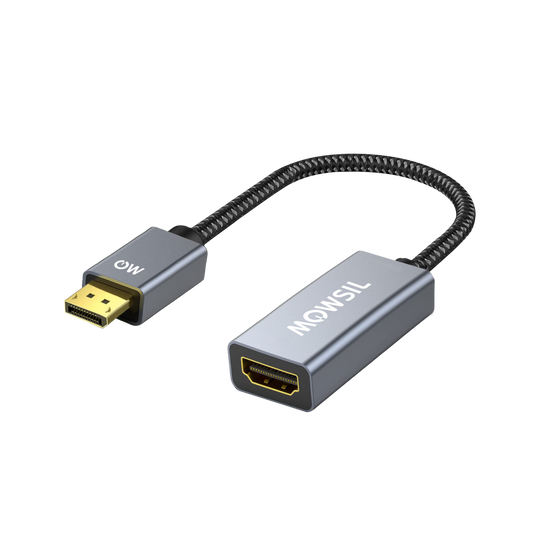
HDMI to VGA Converters

Convert HDMI signals from modern sources such as laptops, media players, or streaming boxes into VGA signals for older displays or projectors. This is ideal for scenarios where legacy display equipment is still in use.

Best for: Training rooms, classrooms, older conference setups
Key Feature: Supports stable video translation from digital to analog displays.

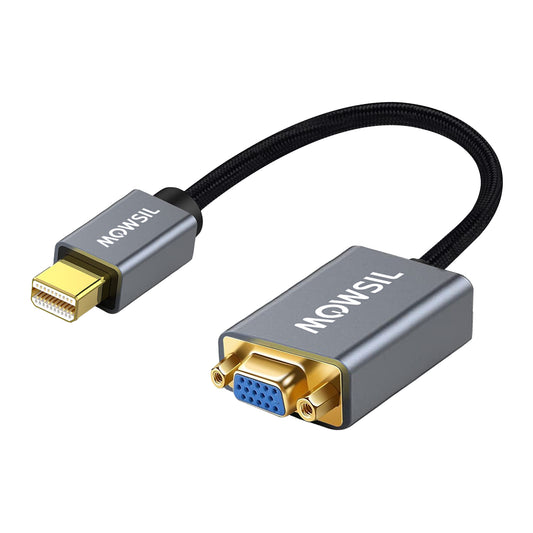
VGA to HDMI Converters

Enable older computers or devices with VGA outputs to connect to HDMI displays with higher resolutions. MOWSIL solutions in this category ensure that your older hardware remains functional with contemporary screens.

Best for: Offices with mixed equipment, small businesses with legacy PCs
Key Feature: Converts analog VGA to HDMI with minimal signal loss.

HDMI to Composite or AV Converters

These converters help connect HDMI sources to standard definition AV systems that use composite inputs. Useful for older TVs, recording devices, or AV equipment without HDMI support.

Best for: Media rooms, legacy equipment integration, DVD families
Key Feature: Maintains audio/video sync during conversion.

Audio Extraction Converters

These models extract audio from HDMI signals, allowing connection to audio receivers or sound systems that use analog inputs. This is helpful for installing modern media players in systems with traditional audio amplifiers.

Best for: Sound installations, home theaters, audio equipment integration
Key Feature: Clean and isolated audio extraction.

Choosing the Right A/V Converter for Your Setup

To ensure you select the correct converter, consider the following factors:

1. Source and Display Types

Identify the input format (e.g., HDMI, VGA, composite) and output format required by your display or AV system. Once determined, select a converter that matches both directions — input and output.

2. Resolution and Quality Requirements

Conversion hardware should support the video resolutions you expect to use. For example, connecting a high‑definition HDMI source into a VGA display should preserve clarity as much as possible given format limits.

3. Audio Integration Needs

If you need to extract or preserve audio during conversion (such as HDMI to analog audio plus video), choose converters that support dedicated audio extraction.

4. Setup Environment

Environments like corporate AV closets, professional studios, or home theaters may demand different physical connector robustness or cable compatibility — factor that into your choice.

Practical Features of MOWSIL A/V Converters

MOWSIL converters are designed with features that address real connection challenges — without adding complexity to your installation:

Multi‑Format Support — Convert between HDMI, VGA, and AV formats in both directions.

Plug‑and‑Play Setup — Simple connectivity without the need for drivers or software configuration.

Clean Signal Output — Designed to preserve clarity and sync across formats for both video and audio.

Compact, Installation‑Friendly Design — Small physical footprint makes them easy to integrate into racks, desks, or entertainment units.

Compatibility with Modern and Legacy Devices — Works with laptops, desktop PCs, projectors, monitors, and AV receivers across generations.

Application Environments for MOWSIL A/V Converters

MOWSIL converters are suitable for diverse environments across the UAE:

Corporate Offices

For spaces that host meetings, presentations, and collaborative sessions, MOWSIL converters eliminate compatibility issues between presenters’ devices and installed displays.

Educational Institutions

Classrooms and lecture halls often contain mixed generations of technology. A/V converters help instructors use existing equipment alongside modern screens.

Home and Personal Media

Home users who want to integrate older media players, DVD players, or legacy gaming consoles with new displays can do so without costly replacements.

Event and Conference Venues

In event spaces where multiple presenters and AV setups are common, converters help ensure that any device can plug into venue displays and systems with minimal configuration.

Why MOWSIL A/V Converters Are the Right Choice

Engineered for Practical Connectivity

Each MOWSIL converter is built to solve real‑world connection challenges with dependable format translation and minimal setup effort.

Broad Interface Support

Whether your system includes HDMI, VGA, or composite connections, MOWSIL converters offer the right bridges between formats.

Flexible Solutions for Mixed Setups

From modern laptops to older displays and AV systems, converters let you integrate equipment without replacing legacy hardware.

Delivery Across the UAE

Available for delivery across major regions including Dubai, Abu Dhabi, Sharjah, and beyond, MOWSIL converters are stocked to meet your project timelines.

Responsive Support

Need advice on selecting the right converter? MOWSIL’s customer team can guide you through compatibility and installation questions to help you get your setup right the first time.

Explore MOWSIL A/V Converters

If you’re looking to buy A/V converters online in UAE, MOWSIL offers adaptable, easy‑to‑install solutions that help you connect devices with differing interfaces — whether in offices, classrooms, entertainment setups, or events.


Frequently Asked Questions

1. What is an A/V converter used for?
An A/V converter translates signals from one format to another, enabling devices with different connection standards to work together. For example, connecting a VGA output to an HDMI display.
2. Can MOWSIL A/V converters handle high‑quality video?
Yes, MOWSIL converters are designed to preserve video clarity during format translation, making them suitable for presentations, media playback, and extended displays.
3. Do converters require special software?
Most MOWSIL A/V converters are plug‑and‑play, requiring no additional drivers or software.
4. Can I convert HDMI to VGA audio and video?
Yes. Select MOWSIL converters are built to convert HDMI signals into VGA while maintaining synchronized audio and video.
5. Are A/V converters suitable for offices?
Absolutely. AV Converters for Offices help connect various employee devices to conference screens and projectors without compatibility issues.
6. Can I use these converters with older TVs?
Yes, converters such as HDMI to composite allow older TVs to display video from modern digital sources.
7. Do converters work with gaming consoles?
Yes, MOWSIL converters can be used to connect consoles to compatible displays as long as the formats are supported.
8. How do I choose the right converter?
Select based on your source port and display port, ensuring the converter supports the correct input and output format.
9. Do MOWSIL converters support audio extraction?
Some models include audio extraction, allowing audio to be routed to speakers or sound systems separate from the video signal.
10. Are converters compatible with laptops and desktops?
Yes, MOWSIL A/V converters are compatible with a wide variety of laptops, desktops, and media players.
11. What cable types do I need with the converter?
Often standard HDMI, VGA, or composite cables are used along with the converter, depending on your setup.
12. Can I use these converters for long cable runs?
A/V converters translate formats; if you need long cable extension, consider pairing with extenders or active cables appropriate for your distance.
Back to top