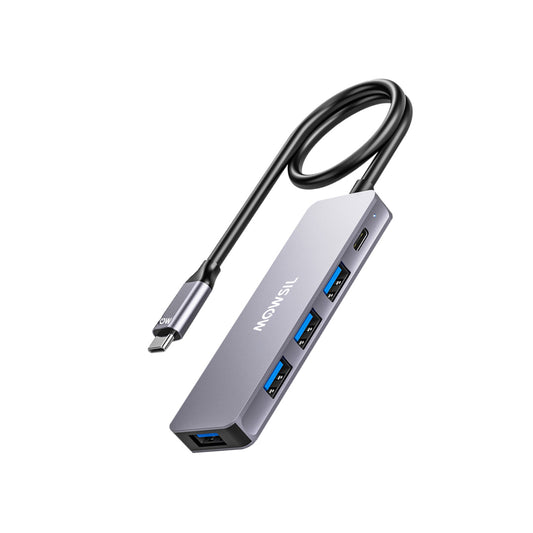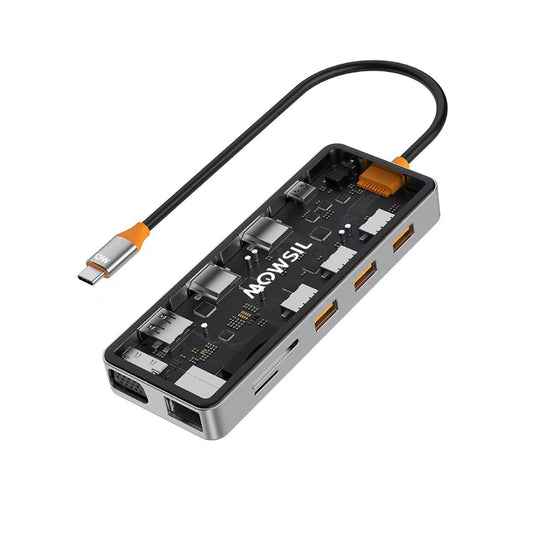


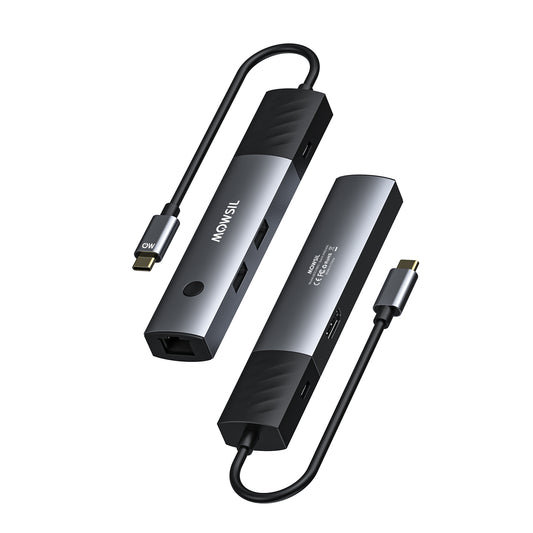


Take a look at a modern premium laptop. It is really well made, thin and light. It is very powerful.. The thing is, making laptops look super sleek and minimal has cost us something important. To make laptops thinner the companies that make them have gotten rid of the ports we use every day. The big HDMI port is gone. You do not hear the click of a separate Ethernet port anymore. The old USB ports are also gone.
Now we are left with a few small oval slots, which are called USB-C.
On paper this one port can do a lot of things. It can transfer a lot of data send video to other monitors connect to the internet and charge your laptop.. The problem is, when one small port has to do all these things it can get really confusing. When you want to use this one port for everything you cannot just use any adapter you have to be careful.
If you understand how USB-C really works you will see why a good quality hub is not something extra but something you really need to work properly. A premium hub is the part of a modern workspace where you can get things done.
The Chaos of the Universal Port Illusion
The greatest strength of USB-C is also its most frustrating point of confusion. The port shape is completely standardized but the underlying technology varies wildly from one laptop to another. Some ports support ultra fast data speeds and dual monitor displays while others with the exact same physical appearance are only wired to transfer basic data and low power.
When you try to run an external monitor stable internet and local storage drives through a single point your laptop has to divide its internal resources dynamically. This is where the standard cheap adapter fails miserably. A low tier no name dongle treats all data the same way often resulting in a digital traffic jam.
For the average laptop user a workspace setup often looks like a constant game of musical chairs. You unplug your backup drive so you can connect your presentation display. You sacrifice your wired internet connection because you need to plug in a wireless mouse receiver. A premium Type-C hub for laptop users solves this headache by acting as a smart traffic controller organizing the incoming and outgoing data streams so everything operates flawlessly at the exact same time.
The Hidden Issues with Bargain Adapters
It is highly tempting to pick up the cheapest multi port dongle available online. However these budget accessories frequently introduce subtle persistent technical glitches that can slowly disrupt your workday productivity.
Display Drops and Flickering Issues
If you have ever connected your laptop to a high resolution monitor only to watch the screen randomly black out for two seconds or display a strange fuzzy static you have experienced the limitations of a low quality build. Driving video data requires a massive amount of stable bandwidth. A poorly shielded USB-C hub with HDMI capability cannot maintain the clean signal integrity needed for crisp refresh rates. This leads to dropped frames laggy cursor movements and intense eye strain over long working sessions.
Unstable Wired Internet Connections
While Wi-Fi is incredibly convenient for casual browsing corporate teams business travelers and remote students need the absolute reliability of a physical connection for zoom meetings and large file transfers. A cheap USB-C hub with Ethernet often uses low end internal network chips. When your laptop starts drawing heavy data from a connected hard drive or charging its battery the hub frequently drops the network connection entirely forcing you back onto unstable wireless networks.
Dangerous Power Delivery Overheating
When you use a laptop it needs a lot of power to charge. This is where Power Delivery technology comes in. It helps get a lot of energy to the laptop through a hub. At the time it keeps things like your mouse and keyboard working.
The problem is that some adapters are not very good. They do not have ways to control heat and they do not have advanced circuits to regulate power.
When these adapters have to handle a lot of power like sixty to one hundred watts they get really hot. This heat is not just bad for the hub it can also hurt your laptop. It can damage the ports where you plug things in.
It can even ruin the information on your flash drives. This is because the heat, from the adapter can affect the laptop and the things connected to it. So it is important to use an adapter with Power Delivery technology to keep your laptop and other things safe.
Why Modern Workspaces Demand a Comprehensive Hub
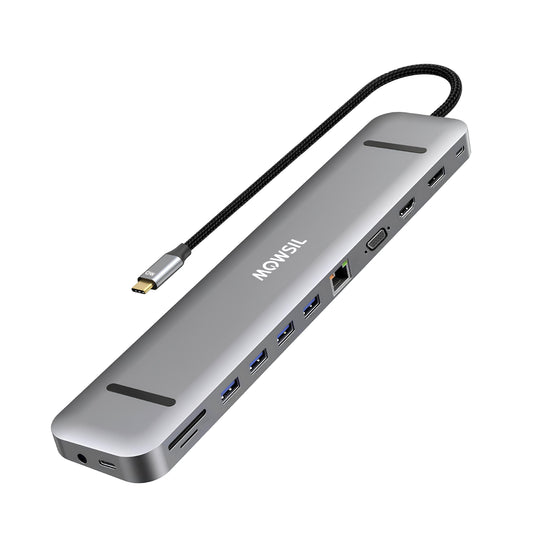
Our work setups are getting more complicated. That means we need to be able to connect more things. For people who use computers a lot like teams at companies and artists an adapter with just three ports is not enough. It is better to get a hub with lots of ports like a 12-in-1 Hub because it can handle everything we need.
-
To have a workspace we need one main device that can connect to all our other devices. This makes it easy to use our computers and get work done.
- Dual Multi Monitor Support: A good hub lets us use two or even three screens at the time. This gives us a lot of space to look at spreadsheets read documents and talk to our teams without having to close windows all the time.
-
High Speed Data Infrastructure: The hub has slots for old USB things and new fast USB-C drives. This means we can move files, like videos very quickly.
-
Integrated Media Card Access: For people who take pictures and make content it is nice to have slots for memory cards in the hub. This way we do not have to carry around card readers that can break easily.
-
A 12-in-1 Hub is really good because it can do lots of things. It can connect to all our devices. Make it easy to get work done. The hub is, like the center of our workspace. It makes everything easier to use.
Finding the Best USB-C Adapter for Your Lifestyle
Every laptop user has unique daily routines and your connectivity gear should perfectly mirror those specific operational needs.
For Corporate Teams and Fixed Office Desks
If you spend your days managing large projects jumping between conference rooms and working from a dedicated desk space you need structural permanence and stability. A heavy duty multifaceted USB-C hub with an aluminum casing works beautifully here. It stays firmly on your desk acting as a traditional desktop docking station. When you arrive at work you plug in one single cable and your laptop instantly transforms into a multi screen powerhouse connected directly to the corporate office network.
For Students and Dynamic Business Travelers
If you are constantly working from airport lounges coffee shops lecture halls or hotel rooms your primary concerns are physical size weight and sheer versatility. You need a compact but incredibly resilient best USB-C adapter that slips effortlessly into a backpack pocket. It should prioritize the core essentials high speed pass through power charging an HDMI port for quick client presentations and standard USB slots for flash drives and external mice.
Conclusion Bridging the Connectivity Gap
The shift toward thinner laptops is an incredible win for mobility and design elegance but it should not force you to compromise your daily productivity. Your laptop might only have one or two open ports but those ports possess immense hidden potential. Unlocking that capability safely and reliably requires a commitment to premium high quality hardware.
When it comes to building a workspace that never compromises on performance Mowsil offers engineered excellence designed for the modern professional. Their meticulously designed USB-C Hub options and robust Type-C Multiport Adapter models are manufactured to handle the intense data and power demands of modern corporate environments. Featuring superior internal shielding advanced heat dissipation and highly reliable port configurations Mowsil products ensure that your external displays remain crisp your network connections stay ironclad and your laptop charges safely. Do not let limited ports hold back your workflow. Upgrade your desk infrastructure with Mowsil and experience the true unbridled power of seamless connectivity.