



A simple USB-C hub or a full-fledged docking station can make a big difference for many people when it comes to getting more done on their laptops. Both of these devices make your laptop more useful by adding more ports, ways to connect, and in some cases, better display options. You're not the only one who has ever been unsure about which one to choose. USB-C hubs and docking stations are similar, but they have different uses and are best for different kinds of people.
We'll explain the main differences between a USB-C hub and a docking station in this blog post. We'll also help you decide which one is best for your productivity needs. We'll also introduce you to Mowsil, your go-to partner for all things tech and productivity, to help you find the best way to set up your workspace.
What does a USB-C hub do?
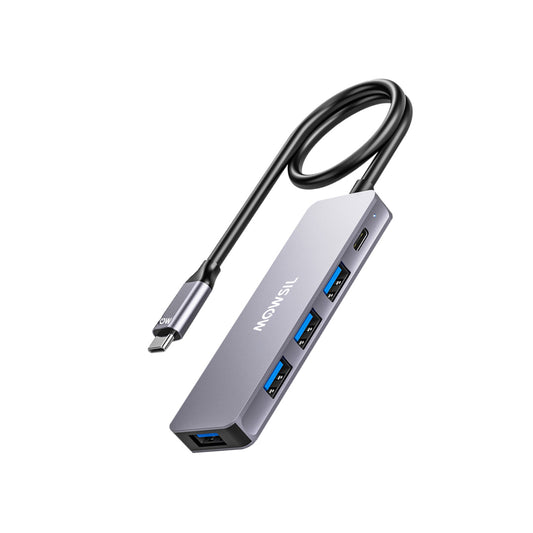
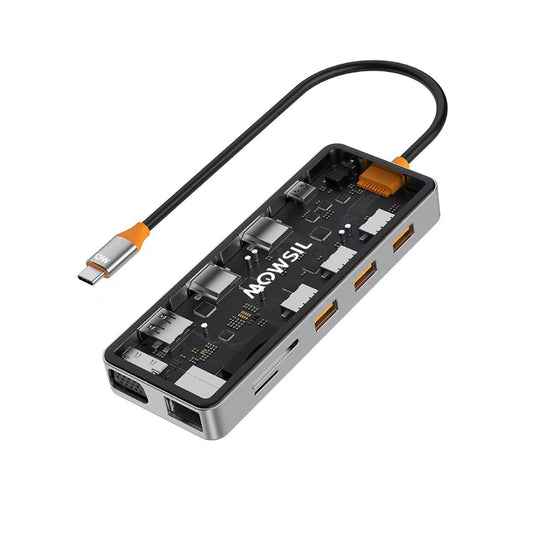
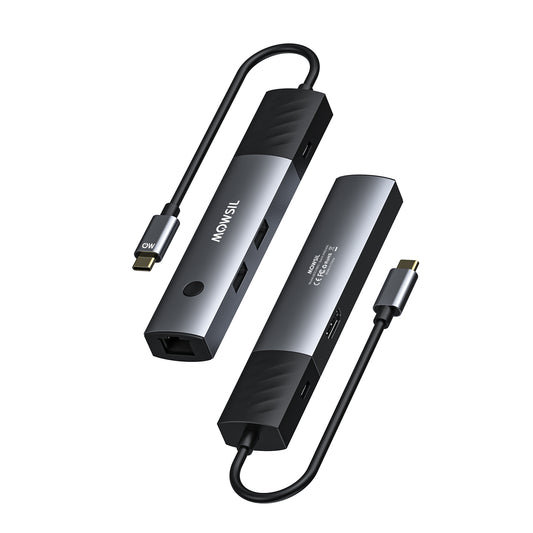
A USB-C hub is a small, portable device that plugs into your laptop's USB-C port and gives you more ways to connect. These hubs are usually small and light, and they add extra USB ports (USB-A and USB-C), HDMI ports for external displays, SD card readers, and sometimes Ethernet connections. The best thing about a USB-C hub is that it's portable. You can easily put it in your bag and use it on the go without having to set up a big, stationary system.
People who want to add basic connectivity options to their laptop but don't need a lot of customisation or high-powered peripherals usually use USB-C hubs. They are great for people who want to connect a mouse, keyboard, external storage device, or a second monitor to their laptop without making their workspace messy.
The benefits of USB-C hubs are:
Portability: USB-C hubs are usually small and light, so they are easy to carry and use while you're on the go.
Price: USB-C hubs are usually cheaper than docking stations.
Basic Expansion: They have basic ports like USB-A, USB-C, HDMI, and Ethernet, which are enough for most everyday tasks.
Plug-and-Play: You don't need any special drivers or software for most USB-C hubs. Just plug them into the USB-C port and you're ready to go.
The drawbacks about USB-C hubs are:
Limited Power Delivery: Some hubs may not be able to charge devices or may only be able to deliver a small amount of power.
Fewer Ports: They are great for adding basic ports, but they don't have as many different ports or as fast speeds as docking stations do.
Only for Laptops: USB-C hubs are mostly made for laptops and don't work well with desktops or other devices.
What is a docking station?
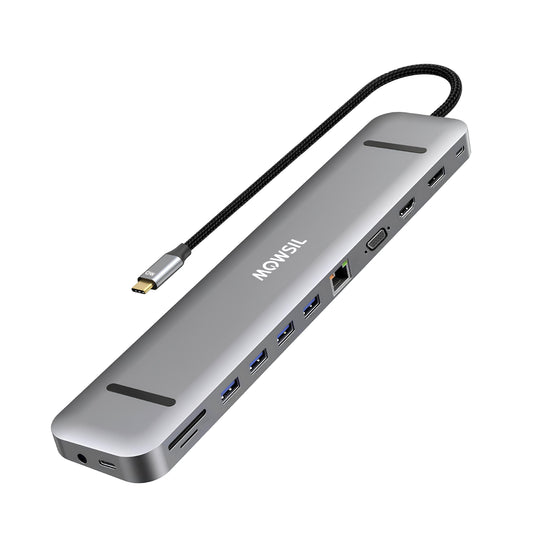
A docking station is a better and often more powerful option than a USB-C hub. It connects to your laptop, usually through USB-C or Thunderbolt, and has a lot of ports, such as multiple USB-A and USB-C ports, Ethernet, audio inputs and outputs, and sometimes even ports for more than one external monitor. People who need to turn their laptop into a full-fledged workstation usually use docking stations. They work great in home offices or on desks where your laptop is the main hub for other devices.
Docking stations are usually bigger and more permanent than USB-C hubs. They give your laptop more power so it can charge while it's connected to the docking station. Many docking stations can also support two or even three monitors, which makes them a popular choice for people who need more screen space to do more than one thing at once.
The Benefits of Docking Stations:
Docking stations usually have a wider range of ports, such as USB-A, USB-C, DisplayPort, HDMI, Ethernet, and even older ports like VGA.
Multiple Displays: Many docking stations support multiple monitors, which is essential for users who need to boost productivity by working with more than one screen.
Power Delivery: Docking stations usually give your laptop more power, so you can charge it while using other devices.
Docking stations are great for making your desk more organised and permanent. They let you connect everything at once, like printers, monitors, external drives, and more.
Disadvantages of Docking Stations:
Size: Docking stations are usually bigger and harder to carry than USB-C hubs, so they're not the best choice for people who need something small to take with them.
Price: Docking stations are usually more expensive than USB-C hubs, especially the ones with extra features like support for multiple monitors or fast data transfer.
Setup Complexity: If you're using more than one monitor or specialised peripheral, setting up a docking station may require more work.
Which one should you get: a USB-C hub or a docking station?
It really depends on your needs and how you work when it comes to choosing between a USB-C hub and a docking station. Let's look at some different situations to help you choose the best option for your work.
1. Portability and Use on the Go
A USB-C hub is the better choice if you want something light and easy to carry. A USB-C hub has all the ports you need to connect your mouse, keyboard, and external display, whether you're travelling for work or just need to set up quickly at a coffee shop or coworking space. It's small, cheap, and doesn't need a lot of setup.
2. Setting up a heavy desk
A docking station is a much better choice if you're setting up a workstation where your laptop will stay in one place. Docking stations are great for home offices or setups that will be used for a long time because they have more ports, can support multiple monitors, and can power your laptop while you connect other devices. If you use your laptop for more than just checking email and browsing the web, like editing videos, analysing data, or doing design work, a docking station will be very useful.
3. Two or more monitors
A docking station is the best choice for people who need to connect two or more monitors. Most docking stations can connect to more than one display, which is important for getting work done. A docking station has the right number of ports and power to handle everything if you use more than one monitor for things like programming, graphic design, or video editing.
4. A solution that doesn't cost a lot
A USB-C hub is a great choice if you don't need all the extra features and are on a budget. Hubs that have important ports like USB-A, HDMI, and Ethernet cost a lot less than docking stations. A hub will do the job for simple things like connecting a keyboard, mouse, and monitor to your laptop without costing a lot of money.
5. Charging and Power Delivery
Docking stations usually give your laptop more power when you charge it than USB-C hubs do. A docking station with more power will be much more reliable if you work at your desk all day and want to make sure your laptop stays charged while you use it.
Mowsil is the place to go for all your tech needs.
We at Mowsil know how important it is to make a workspace that is both productive and efficient. Mowsil has the right tools for you, whether you're a freelancer working from home, a professional who needs to connect multiple devices, or just someone who wants to make your laptop better. We have a huge selection of USB-C hubs and docking stations to meet all of your needs, from ultra-portable hubs to high-powered docking stations that turn your laptop into a full desktop workstation.
We carefully choose our products based on their quality and performance, so your setup will run smoothly without any problems. Mowsil can help you find the best tech for your needs, whether you're upgrading your home office or setting up a mobile workspace.
Conclusion
It all depends on how you use your laptop when you have to choose between a USB-C hub and a docking station. A hub is probably the better choice if you need something that is easy to carry. If you want to get the most work done, though, a docking station will help you do that with a full desk setup, multiple monitors, and the ability to charge your laptop while you work.
We at Mowsil have a lot of different ways to help you get the most out of your laptop, whether you're on the go or setting up your permanent workstation. We can help you with anything you need.