تخطي إلى المحتوى
انتقل إلى معلومات المنتج
1 ل 10

كمية محدودة

عرض ورقة البيانات
رمز المنتج MOCPB1 الأجهزة الطرفية

محول Mowsil لـ CarPlay اللاسلكي – بلوتوث 5.2 وواي فاي

طوّر تجربة الترفيه والملاحة في سيارتك مع محوّل Mowsil MOCPB1 الذكي لـ CarPlay اللاسلكي. صُمم للراحة، ويساعد هذا المحوّل الصغير بنظام التوصيل والتشغيل على تحويل أنظمة Apple CarPlay وAndroid Auto السلكية المتوافقة إلى اتصال لاسلكي سلس، ليقلل فوضى الكابلات داخل سيارتك.

المزايا التقنية والوظيفية

  • محول كاربلاي وأندرويد أوتو لاسلكي
  • إعداد التوصيل والتشغيل –
  • اتصال بلوتوث 5.2 + واي فاي
  • تصميم مدمج ومحمول
  • مؤشر حالة ذكي بتقنية LED
  • استهلاك منخفض للطاقة

المواصفات الفنية

Product NameWireless CarPlay & Android Auto Adapter
ModelMOCPB1
FunctionWired-to-wireless CarPlay and Android Auto conversion
Supported Phone PlatformsiPhone and Android
Vehicle RequirementFactory-fitted or aftermarket wired Apple CarPlay or wired Android Auto
Connection MethodVehicle USB port
Wireless ConnectivityBluetooth 5.2 and Wi-Fi
InstallationPlug and play
Driver InstallationNot required
عرض التفاصيل الكاملة

محول Mowsil لـ CarPlay اللاسلكي – بلوتوث 5.2 وواي فاي

طوّر تجربة الترفيه والملاحة في سيارتك مع محوّل Mowsil MOCPB1 الذكي لـ CarPlay اللاسلكي. صُمم للراحة، ويساعد هذا المحوّل الصغير بنظام التوصيل والتشغيل على تحويل أنظمة Apple CarPlay وAndroid Auto… قراءة الوصف الكامل عرض أقل

طوّر تجربة الترفيه والملاحة في سيارتك مع محوّل Mowsil MOCPB1 الذكي لـ CarPlay اللاسلكي. صُمم للراحة، ويساعد هذا المحوّل الصغير بنظام التوصيل والتشغيل على تحويل أنظمة Apple CarPlay وAndroid Auto السلكية المتوافقة إلى اتصال لاسلكي سلس، ليقلل فوضى الكابلات داخل سيارتك.

يتصل MOCPB1 بسهولة عبر البلوتوث ثم يستخدم Wi-Fi لأداء مستقر، ليمنحك تجربة قيادة لاسلكية موثوقة للخرائط والمكالمات والموسيقى والرسائل والتطبيقات المدعومة الأخرى. بفضل تقنية بلوتوث 5.2، يوفر إقرانًا سريعًا واتصالًا ثابتًا.

تصميمه المحمول يجعل تركيبه واستخدامه سهلًا. فقط وصّل المحوّل بمنفذ USB في سيارتك، واقرن هاتفك الذكي، واستمتع بلوحة قيادة أكثر ترتيبًا وراحة. تساعد مؤشرات LED المدمجة على عرض حالة الاتصال بوضوح، بينما يضمن التصميم منخفض الاستهلاك تشغيلًا فعالًا خلال الاستخدام اليومي.

مثالي للسائقين الذين يريدون طريقة أذكى وأكثر سلاسة لاستخدام CarPlay أو Android Auto دون توصيل الهاتف باستمرار.

محول Mowsil لـ CarPlay اللاسلكي – بلوتوث 5.2 وواي فاي
محول Mowsil لـ CarPlay اللاسلكي – بلوتوث 5.2 وواي فاي — Compact in-car adapter
محول Mowsil لـ CarPlay اللاسلكي – بلوتوث 5.2 وواي فاي — Wireless navigation and music
محول Mowsil لـ CarPlay اللاسلكي – بلوتوث 5.2 وواي فاي — Entertainment on a family trip
محول Mowsil لـ CarPlay اللاسلكي – بلوتوث 5.2 وواي فاي — Hands-free calling
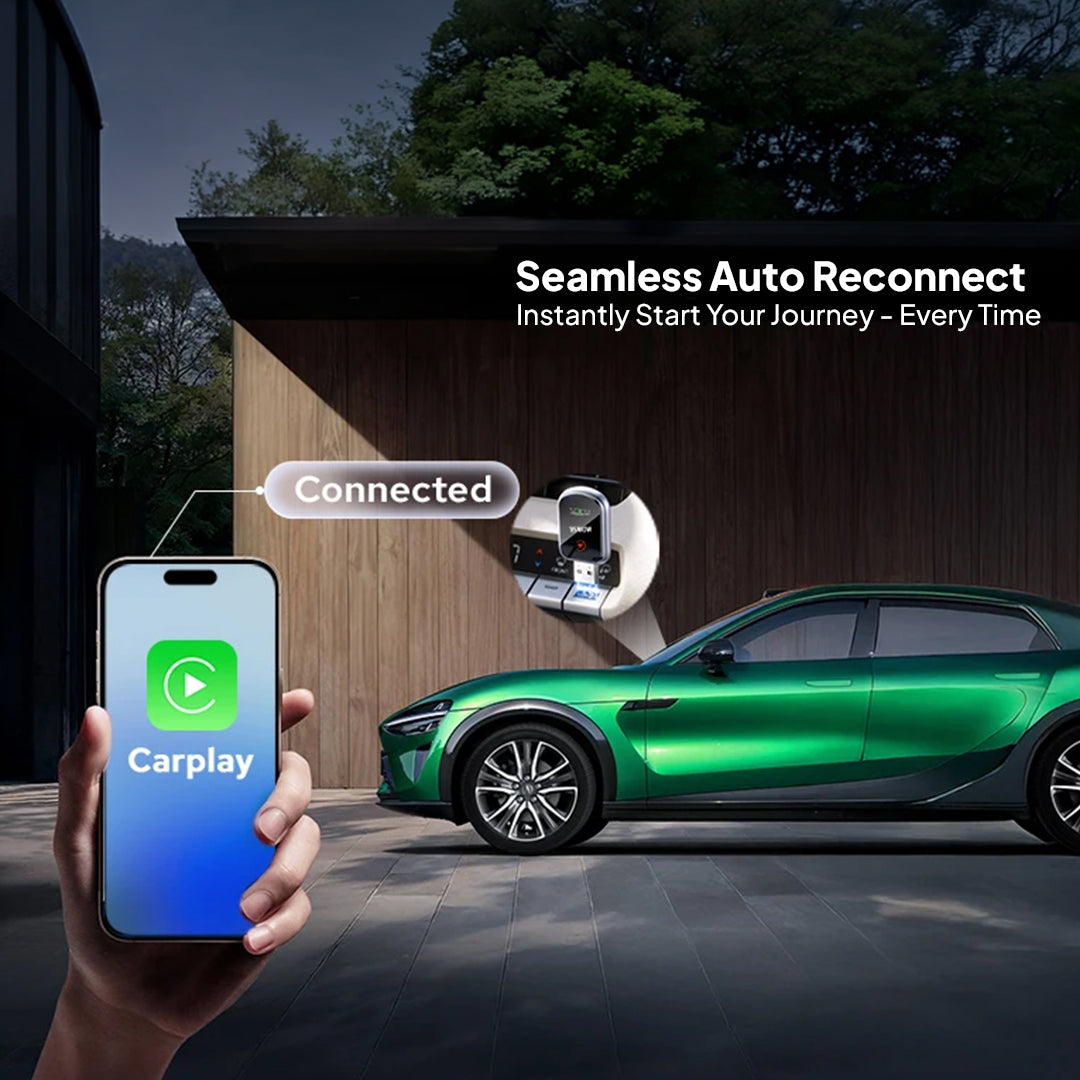
محول Mowsil لـ CarPlay اللاسلكي – بلوتوث 5.2 وواي فاي — Automatic reconnection

Additional information

Leave the phone cable behind without replacing your car’s infotainment system. The MOWSIL Wireless CarPlay & Android Auto Adapter – MOCPB1 converts your car’s existing wired Apple CarPlay or wired Android Auto connection into a wireless one.

Simply connect the adapter to the same USB port you normally use for wired CarPlay or Android Auto, pair your smartphone and access your compatible apps through the car’s infotainment screen. You can use navigation, make calls, listen to music and access supported voice controls without connecting your phone with a cable every time you get into the car.

Designed for both iPhone and Android users, the MOCPB1 offers a practical way to keep your phone connected while leaving it in your pocket, bag or wireless charging area.

Key Features

Switch from Wired to Wireless

Turn your car’s existing wired Apple CarPlay or Android Auto system into a wireless connection without changing the head unit.

Supports iPhone and Android

Use wireless Apple CarPlay with a compatible iPhone or wireless Android Auto with a compatible Android smartphone.

Simple Plug-and-Play Setup

Connect the adapter to your car’s CarPlay or Android Auto USB port and pair your phone. No driver installation or infotainment-system modification is required.

Everyday In-Car Access

Continue using supported navigation, calling, messaging, music and voice-assistant functions through your vehicle’s infotainment display.

Compact and Convenient

The small adapter stays neatly connected to the USB port, helping reduce loose cables around the dashboard and centre console.

Supported Devices

  • iPhone: Supports wireless Apple CarPlay on compatible iPhone models
  • Android smartphones: Supports wireless Android Auto on compatible Android devices

Your smartphone must support Apple CarPlay or Android Auto, and the corresponding feature must already work through a wired connection in your vehicle.

Commonly Compatible Vehicle Models

The MOCPB1 may work with the following models when they are factory-equipped with wired Apple CarPlay or wired Android Auto:

  • Nissan: Kicks, Altima, Sentra, X-Trail, Qashqai, Patrol, Leaf
  • Toyota: Corolla, Camry, RAV4, Yaris, Highlander, Corolla Cross
  • Hyundai: Tucson, Elantra, Sonata, Santa Fe, Accent, Palisade
  • Kia: Sportage, Sorento, Seltos, Rio, Soul, Carnival
  • Honda: Civic, Accord, CR-V, HR-V, Pilot
  • Ford: F-150, Explorer, Edge, Escape, Mustang, Bronco, EcoSport
  • Chevrolet: Tahoe, Suburban, Silverado, Captiva, Tracker, Trax
  • Volkswagen: Golf, Jetta, Polo, Tiguan, Amarok
  • Mitsubishi: Outlander, Pajero, Eclipse Cross
  • Suzuki: Swift, Baleno, Ciaz, Vitara, Jimny

This is a general reference list, not a guarantee of compatibility. Support can differ between model years, trim levels, regions and infotainment-system versions.

Check Compatibility Before Purchase

For iPhone

  1. Connect your iPhone directly to the car using a USB data cable.
  2. Check whether Apple CarPlay opens on the infotainment screen.
  3. If wired Apple CarPlay works through that USB port, the MOWSIL adapter should work through the same port.

For Android Smartphones

  1. Connect your Android phone directly to the car using a USB data cable.
  2. Check whether Android Auto opens on the infotainment screen.
  3. If wired Android Auto works through that USB port, the MOWSIL adapter should work through the same port.

Important Compatibility Information

The MOWSIL MOCPB1 only converts an existing wired Apple CarPlay or wired Android Auto connection into wireless.

It cannot add CarPlay or Android Auto to a vehicle that does not already support one of these features through a wired USB connection. Compatibility may vary depending on the vehicle’s model year, trim level, region and infotainment system.

الأسئلة الشائعة

1. What exactly does the MOWSIL CarPlay & Android Auto Adapter do?
It removes the need to connect your phone with a cable whenever you get into the car. Plug the adapter into your car’s USB port, pair your phone and use CarPlay or Android Auto wirelessly.
2. Can it add CarPlay or Android Auto to any car?
No. Your car must already have wired Apple CarPlay or wired Android Auto. The adapter only turns that wired connection into a wireless one.
3. How do I know if it will work in my car?
There is a simple way to check. Connect your phone to the car with a USB data cable. If CarPlay or Android Auto appears on the infotainment screen, the MOWSIL adapter should work through the same USB port.
4. Can I use it with both iPhone and Android?
Yes. Compatible iPhones are supported via wireless Apple CarPlay and compatible Android phones via wireless Android Auto.
5. My car model is listed. Does that guarantee compatibility?
Not always. The same car model can have different infotainment systems depending on its year, trim level or country of sale. Even if your model is listed, check that wired CarPlay or Android Auto works before buying.
6. Is it difficult to set up?
Not at all. Just connect the adapter to your car’s CarPlay or Android Auto USB port, enable Bluetooth and Wi-Fi on your phone and follow the pairing instructions. You only have to do the initial setup once.
7. Do I need to install an app?
No app or driver is required for the regular setup. The adapter works through your car’s existing CarPlay or Android Auto system.
8. Will it connect automatically the next time I start the car?
Yes. After the first pairing, it is designed to reconnect to your phone whenever you start the car. The connection may take a few seconds, depending on your phone and infotainment system.
9. Can I use Google Maps, calls and music as usual?
Yes. You can continue using supported navigation, calling, messaging, music and voice-control features through the car’s screen—just without connecting your phone by cable.
10. Can two people connect their phones to the adapter?
The adapter can remember previously paired phones, but it connects to only one phone at a time. If two paired phones are in the car, you may need to disconnect one before connecting the other.
11. What do I do if it doesn’t connect?
First, check if CarPlay or Android Auto is working when the phone is directly connected with a USB data cable. If this is the case, restart the phone and the infotainment system, make sure that Bluetooth and Wi-Fi are on, delete the old pairing and try again.
12. Will it work with an aftermarket infotainment system?
If the aftermarket system already supports wired Apple CarPlay or wired Android Auto via USB, it might work. Given the sheer number of aftermarket systems out there, you’ll want to make sure it’s compatible with the head-unit maker before you purchase.

سلة الاستفسارات

الطرازات المحددة: 0

سلة الاستفسارات فارغة.

    Back to top

    المواصفات الفنية